I reckon i'll most likely run into problems trying to burn my back-ups so I was thinking of getting an external USB drive to do the job.
Before I rush out and buy one, does anyone have any advice on compatibility issues with makes/models of USB drives? Will I need to install any additional software (drivers?) that are not included in the 'Dummies' guide above for the Wii to recognise and utilise the USB drive.
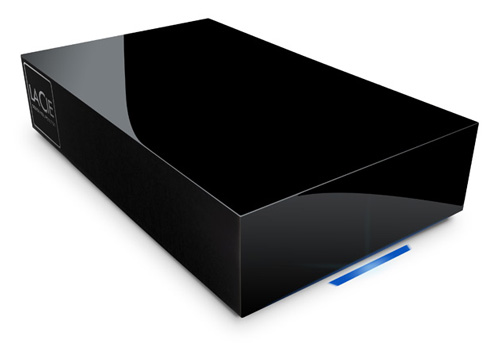
So far I have looked at the Lacie Neil Poulton 500GB external drive pictured below, it looks cool and is well priced, however, will it be compatible? A google search unearthed nothing.
vantec nexstar CX enclosure and western digital scorpio black 320gig hard drive; the 500 and 640 should work with no problems. only needs one usb port and no external power. been working solid for months now.
@dailun - I've never owned any Lacie products in the 12 years or so that i've owned PC's, so no idea on their reliability. It seems they only offer 2 year warranty on products as opposed to 3 years like most manufacturers. Price, I can get this drive for £50 ($80) delivered, which probably sounds a lot if your in the U.S. but remember that everything is about 50% more expensive here in the U.K.
@cee43ja1 - Really appreciate the heads up on this enclosure, it reminded me that i've got a 250GB SATA drive gathering dust at the moment, and at around £20 for an enclosure, it's a cheaper option than an all-in-one external drive. One question though, you say no external power required, is this just when it's connected to a PC? or will it work without a power brick when plugged into the Wii as well? and if so, does this vary depending on the hard drive being used?
My single experience with Lacie left a very bad taste in my mouth.
I picked up a Simpletech 1TB ReDrive on sale for $79.99 USD.
My preference is external powered HDD since I have a power strip nearby my HDD. I am not aware of any USB powered 3.5" HDD and would guess that cee43ja1 was referring to a 2.5" enclosure.
I would recommend 640 or 750GB. I filled a 500GB ext hdd at my 280th .iso (WBFS)
it's a 2.5" drive enclosure, like dailun assumed. so if your spare 250 is a 2.5" notebook drive, go ahead and use that, otherwise you will need a 3.5" enclosure. i take the 2.5" with me when i go to socal, and use it on my relative's wii. one cable and that's it.