|
Labels on DVD's
|
|
|
jd2523
Newbie

|
16. March 2005 @ 08:56 |
Link to this message

|
|
Does anyone put labels on their copied DVD's? Do they really make the DVD skip? Is there a particular type of label that can be used?
|
|
Advertisement

|
 |
|
|
|
bradyboy
Member
|
16. March 2005 @ 09:06 |
Link to this message

|
|
Hey,
As far as I know putting labels on discs is not a good idea. Why? It's because of the heat thats generated inside the player, this makes the paper buckle then the disc will be affected. Use a sharpie, best case scenario. Hope this helps.
BB
|
|
dsabedra
Newbie
|
16. March 2005 @ 09:20 |
Link to this message

|
|
It is recommended that labels no be used, but I do. I use Meritline Glossy DVD/CD labels. I just make sure that I press out any bubbles during application. I never had any problems DVDs skipping. Also, I read somewhere that certain permanent markers can penetrate layers of DVD thus affecting the reading of the data. Sharpies never affected my dvds.
|
|
dlc2000
Member
|
16. March 2005 @ 09:37 |
Link to this message
|
|
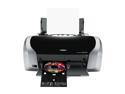
i use a epson r200 printer for all of my labels , it does a nice job and doesnt make the disc unbalanced .
|
|
Gringle
Suspended due to non-functional email address
|
16. March 2005 @ 09:42 |
Link to this message
|
|
Hi it's just a forum, where folk discuss things, the greater opinion, seems labels', are a dis-advantage for the life of the disc.
And all those printer compatable folk, come up with reasons why,
having got the disc;
why take the risk,??
gringle
|
|
dlc2000
Member
|
16. March 2005 @ 10:08 |
Link to this message
|
|
im not saying printing disc's is the way go or anything . im only telling others what i use . printing disc's has draw backs also , the ink scratches easy and seems to fade a bit with time . i just like printing my disc's because my hand writing is chicken scratch and its easy for me to burn the movie and stick in the printer and im done .
|
|
jd2523
Newbie
|
17. March 2005 @ 03:52 |
Link to this message
|
|
Where can I get the Meritline glossy labels? Don't remember seeing them at staples. Thanks to all for you help.
|
AfterDawn Addict
|
17. March 2005 @ 04:12 |
Link to this message
|
|
OK my opinion on this matter, and it is just that!!
I was once not so wise way back when DVD copying became popular, and went out and stuck lables on all my DVD's. I had done about 100 DVD's with lables, and all played perfect with no problem!! Now the bad news they played back then but 5 minths later the disk's were having issues skipping, freezing, and just wouldn't play at all!! That was a lot of work and money down the tubes.. So about 4 months ago I purchased the Epson R200 and have been printing directly on TY white inkjet printable DVD's ever since. All of those have been working flawless, even the ones from 4 moths ago!! Point is the lables affected the DVD's some how? I'm not sure how, but all I know is they didnt play anymore. So you can save yourself some heart ache and pain by learning from others on here who have already experienced problem with lables or you can choose to learn the hard way it's totally up to you? If you really want cool lables on your DVD movies then you might want to think about investing in the Epson printers that print directly onto the DVD. The R200 can be had for about $80 now, and in the long run you will save more money because you don't have to buy lables or new DVD's later when the glue from the label eats into your disk.. :-)
Also there are already a bunch of posts in AD about putting labels on your movies you may want to read up on them before you make a decision about putting labels on your DVD's :-)
 My Guides--------->http://webpages.charter.net/bacitup/
Newbies------------>http://forums.afterdawn.com/thread_view.cfm/183136
Software ------->http://webpages.charter.net/bacitup/software.htm |
|
Doofy
Member
|
17. March 2005 @ 04:26 |
Link to this message
|
|
Got to agree i print direct to my dvds with a canon ip 4000 absloutely no problems, sticky labels i gave up with a long time ago.
This message has been edited since posting. Last time this message was edited on 18. March 2005 @ 07:47
|
Moderator
|
17. March 2005 @ 06:52 |
Link to this message
|
|
I bought stock in Sharpie long ago :)

My killer sig came courtesy of bb "El Jefe" mayo.
The Forum Rules You Agreed To! http://forums.afterdawn.com/thread_view.cfm/2487
"And there we saw the giants, and we were in our own sight as grasshoppers, and so we were in their sight" - Numbers 13:33 |
|
dsabedra
Newbie
|
17. March 2005 @ 08:29 |
Link to this message
|
|
jd2523
I purchased the Meritline DVD glossy labels at Frys Electronics in Texas. They are not nation wide but Meritline does have a website at meritline.com.
Printing directly to the DVD sound very intersting and am very interested in that technology. I tried to find the model number that several people have mentioned but does not mention print on dvd disc directly. I prefer that to labels.
|
|
Advertisement
|
|
|
AfterDawn Addict
|
17. March 2005 @ 10:28 |
Link to this message
|
My Guides--------->http://webpages.charter.net/bacitup/
Newbies------------>http://forums.afterdawn.com/thread_view.cfm/183136
Software ------->http://webpages.charter.net/bacitup/software.htm
This message has been edited since posting. Last time this message was edited on 17. March 2005 @ 10:34
|