|
Cant copy data into Nero or Cheetah DVD Burner why?
|
|
|
jkblake88
Newbie

|
24. April 2005 @ 23:52 |
 Link to this message

|
|
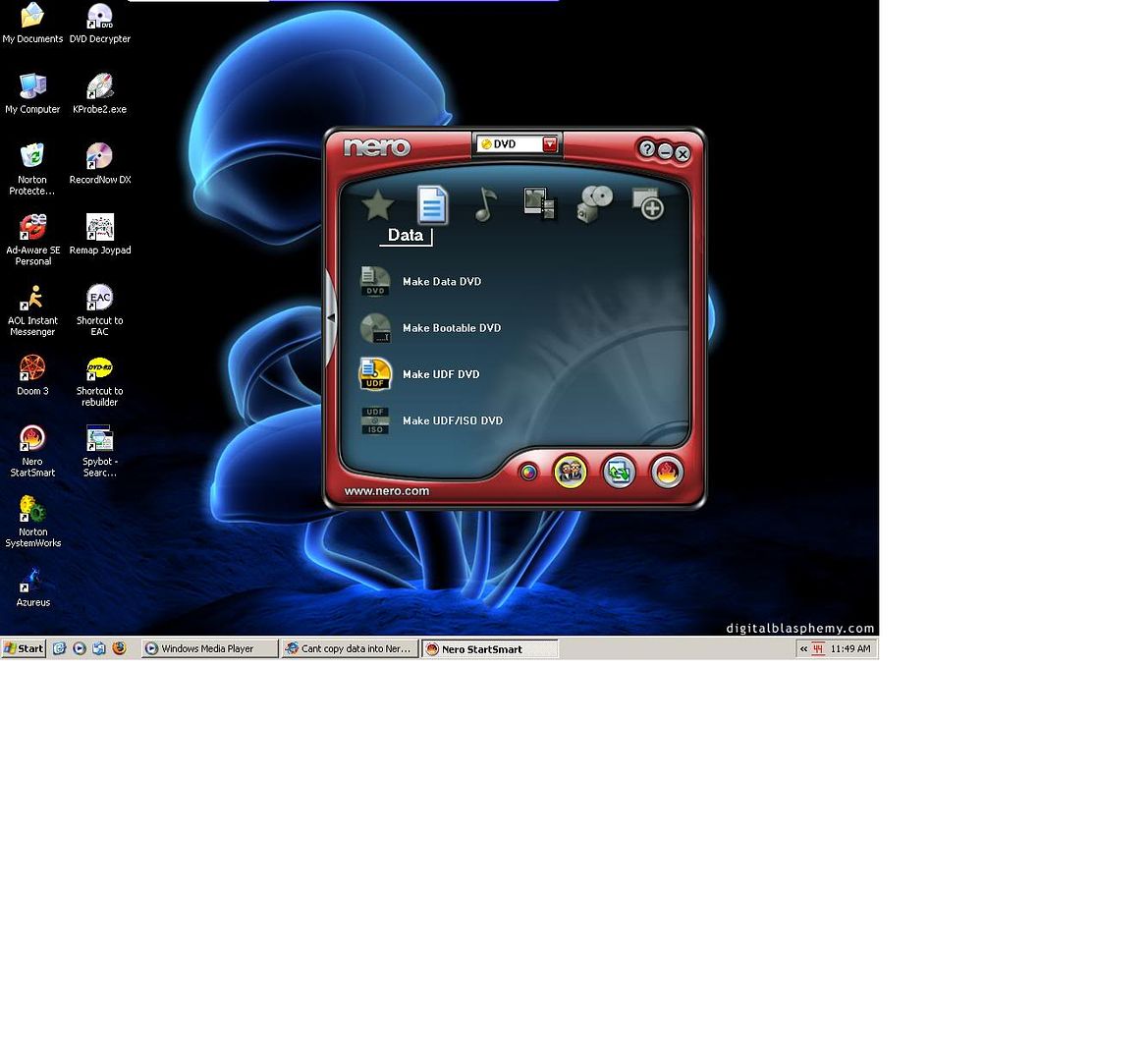
Im trying to copy a 4.5 GB .zip folder onto a 4.7 GB DVD-R disc by imation. I put the blank disc into my DVD drive, open NERO and try and copy the .zip folder into the box, but it says it cant support more than 2 gigs of stuff and I need to use UDF format. I look for something about DVD-R UDF format in NERO but all i find is CD-R UDF, which I tried and I got the same error...at this point I figured Id try a new program, so i got Cheetah DVD Burner trial. I can upload my .zip into there fine when I select Data DVD Burner, but when I click write it says, "Please insert writable media before continuing". I even tried putting a blank disc in my CD drive at the same time as my DVD drive, as well as having a blank disc in each drive individually. Im heavily virused and need to reformat soon hopefully, and Im trying to save all my necessary stuff, so if anyone knows a way to use UDF in Nero, make Cheetah recognize my DVD-Rs and be able to write, or another free program that can fulfill my task, please do tell :o)
|
|
Advertisement
|
|
|
|
|
jkblake88
Newbie

|
25. April 2005 @ 07:37 |
Link to this message

|
|
anyone?
|
|
squizzle
AfterDawn Addict
|
25. April 2005 @ 07:54 |
Link to this message
|
I can do it. It's here:
Convert PAL to NTSC or NTSC to PAL------>http://forums.afterdawn.com/thread_view.cfm/167922
ScubaPete's guides------>http://www.dvdplusvideo.com/tutorial007.html
Bbmayo's guides------>http://home.comcast.net/~bbmayo/index.html
My ever-growing movie collection------>http://www.intervocative.com/dvdcollection.aspx/squizzle
|
|
jkblake88
Newbie
|
25. April 2005 @ 17:52 |
Link to this message
|
K i got the latest version of Nero, and I didnt find something that says "make UDF DCD" exactly, but I found "make data DVD" where i got the error at first, but if i clicked yes it let me put the 4.5 GB .zip in there. Now when I click on next after I add the .zip, it wont let me click burn. Title / language / artist / writing speed are all grayed, and the Current Recorder feature has no options for me to choose. I click on it and simply nothing happens and I cant type in it....
I went back to main page and did more/disc info and when i select my E drive (which i have placed a brand new blank DVD-R by imation into)it says 'No disc inserted ir drive not ready'
how do i fix it?
|
|
jkblake88
Newbie
|
25. April 2005 @ 22:59 |
Link to this message
|
|
anyone?
|
|
squizzle
AfterDawn Addict
|
25. April 2005 @ 23:23 |
Link to this message
|
|
what if you extract the contents of the zip file?
Convert PAL to NTSC or NTSC to PAL------>http://forums.afterdawn.com/thread_view.cfm/167922
ScubaPete's guides------>http://www.dvdplusvideo.com/tutorial007.html
Bbmayo's guides------>http://home.comcast.net/~bbmayo/index.html
My ever-growing movie collection------>http://www.intervocative.com/dvdcollection.aspx/squizzle
|
|
jkblake88
Newbie
|
25. April 2005 @ 23:49 |
Link to this message
|
|
i dont think you can open extracted files from a CD, i thought they had to be zipped or .rard...what would extracting do
|
|
squizzle
AfterDawn Addict
|
26. April 2005 @ 00:06 |
Link to this message
|
|
I think a light bulb just went on in my head. Are you using a FAT32 file system (Windows 95, 98, or ME)?
Convert PAL to NTSC or NTSC to PAL------>http://forums.afterdawn.com/thread_view.cfm/167922
ScubaPete's guides------>http://www.dvdplusvideo.com/tutorial007.html
Bbmayo's guides------>http://home.comcast.net/~bbmayo/index.html
My ever-growing movie collection------>http://www.intervocative.com/dvdcollection.aspx/squizzle
|
|
jkblake88
Newbie
|
26. April 2005 @ 06:30 |
Link to this message

|
|
no im on xp
|
|
squizzle
AfterDawn Addict
|
26. April 2005 @ 06:51 |
Link to this message
|
Convert PAL to NTSC or NTSC to PAL------>http://forums.afterdawn.com/thread_view.cfm/167922
ScubaPete's guides------>http://www.dvdplusvideo.com/tutorial007.html
Bbmayo's guides------>http://home.comcast.net/~bbmayo/index.html
My ever-growing movie collection------>http://www.intervocative.com/dvdcollection.aspx/squizzle
|
|
jkblake88
Newbie
|
26. April 2005 @ 17:05 |
Link to this message
|
|
like i said im trying to get a 4.5 GB file on the disc. teach me how. there is 1 .zip file and it is 4.5GB and the DVD-R can hold 4.7
|
|
squizzle
AfterDawn Addict
|
26. April 2005 @ 19:01 |
Link to this message
|
|
I don't know how to help you any further, I've never seen that before. And that 4.7GB that a DVDR can supposedly hold is actually more like 4.35.
Convert PAL to NTSC or NTSC to PAL------>http://forums.afterdawn.com/thread_view.cfm/167922
ScubaPete's guides------>http://www.dvdplusvideo.com/tutorial007.html
Bbmayo's guides------>http://home.comcast.net/~bbmayo/index.html
My ever-growing movie collection------>http://www.intervocative.com/dvdcollection.aspx/squizzle
|
AfterDawn Addict
|
27. April 2005 @ 05:03 |
Link to this message
|
UDF format in Nero really just means files that can be read in all windows systems. You can access this function from Nero Burning Rom.
Good luck!
|
|
jkblake88
Newbie
|
27. April 2005 @ 06:44 |
Link to this message
|
|
k i figured out how to get to 'make a UDF DVD' but I get there and it still doesnt recognize my disc...
|
|
jkblake88
Newbie
|
27. April 2005 @ 17:50 |
Link to this message
|
|
awhuiawahdo :(
|
AfterDawn Addict
|
28. April 2005 @ 09:26 |
Link to this message
|
|
Like squizzle said, your zip file may be too big.
|
|
jkblake88
Newbie
|
28. April 2005 @ 16:34 |
Link to this message
|
|
hmm. i put a 1.6 GB file and go to burn and no error but when i clikc on write speed there are no options for me to choose from and i cant burn anything. Ive tried memorex 4x DVD-R and imation DVD-R 8x....so whats up
|
|
Advertisement
|
|
|
AfterDawn Addict
|
29. April 2005 @ 08:07 |
Link to this message
|
|
Which program and procedures are you using?
|


