|
|
|
Right, this is serious - DVD+RW
|
|
|
ronyap
Junior Member

|
1. May 2007 @ 08:27 |
Link to this message

|
Hi,
I get a brand new DVD+RW (which I dont usually use) and burn some stuff onto it with 'Data Disc'. Now, I try to format, so I can put new stuff on. But it says that my disc is corrupted for some reason.
Why is this?!
Is there something I need to know about DVD+RW?
Here is the error I get:
http://i21.photobucket.com/albums/b293/Naruto28/Problem.jpg
Btw, the disc brand is Tuff Disc
Thanks
This message has been edited since posting. Last time this message was edited on 1. May 2007 @ 08:32
|
|
Advertisement

|
|
|
|
Member
|
1. May 2007 @ 10:03 |
 Link to this message
|
|
The Brand "Tuff Disc" just might Be your Problem. Never heard of it before.
Case=Antec Lanboy, Psu=Corsair HX620, Mobo=GA-X58A-UD5,Ram=Gskill 1600Mhz 3x2gigs,Cpu=I7 950 4Ghz,Cpu Cooler= EK 240 Water Kit,Gpu=HD6870x2,Eyefinity Set up,Ssd=Gskill Phoenix Pro 120gb
|
|
ronyap
Junior Member
|
8. May 2007 @ 09:16 |
Link to this message

|
|
I doubt that its the brand of the disc. Anyone else here use Tuff Disc? I tried it with another Tuff Disc +RW and after, it wouldnt let me format, as if it is a +R. Ive just bought a new set of Sony DVD - RWs and Ill try it with this. I know ones + and ones -, but Ill let you know of the results.
Oh, and btw, it just wont let me format the disc. The data is still fine, nothing is corrupt.
Could it be because I havent finalised/closed my disc yet?
This message has been edited since posting. Last time this message was edited on 8. May 2007 @ 09:18
|
|
ronyap
Junior Member
|
8. May 2007 @ 11:12 |
Link to this message

|
Sorry for double posting but it didnt go well. Even the Sony brand disc didnt give me any results. Why can't I format? If I try to format through the 'Right-click' way, I get this:
http://i21.photobucket.com/albums/b293/Naruto28/errorDrive.jpg
Please help! I dont know what the problem is. My drive is
_NEC DVD+-RW ND-6650A
I really want this solved. Can anyone help?
Thnaks
|
Member
|
8. May 2007 @ 11:35 |
Link to this message
|
Dude, Why are you formatting the disc?
Use Nero and erase the disc, all will be well.
M
He who knows little
|
|
ronyap
Junior Member
|
8. May 2007 @ 11:39 |
Link to this message
|
|
|
Member
|
8. May 2007 @ 17:22 |
Link to this message
|
|
I haven't heard of Data Disc before but it could quite possibly be a setting in there that allows that program to make the cd a read only. Have you looked at the advanced options on that program to see if you can change that?
|
|
BradleyB
Newbie
|
8. May 2007 @ 17:39 |
Link to this message
|
go to infotool within Nero after check is complete//go to ASPI and check Nero restart and check rewrite again
|
Senior Member
|
8. May 2007 @ 19:54 |
Link to this message
|
|
Have you tried erasing it with IMGburn
 "When I look at the smiles on all the childrens faces, I just know theyre about to jab me with something."
- Homer Simpson |
Member
|
9. May 2007 @ 01:02 |
Link to this message
|
He who knows little
|
Member
|
9. May 2007 @ 04:36 |
Link to this message
|
Case=Antec Lanboy, Psu=Corsair HX620, Mobo=GA-X58A-UD5,Ram=Gskill 1600Mhz 3x2gigs,Cpu=I7 950 4Ghz,Cpu Cooler= EK 240 Water Kit,Gpu=HD6870x2,Eyefinity Set up,Ssd=Gskill Phoenix Pro 120gb
This message has been edited since posting. Last time this message was edited on 9. May 2007 @ 05:36
|
|
ronyap
Junior Member
|
9. May 2007 @ 08:35 |
Link to this message
|
Yes! That is exactly my disc, but it says RW on it. But, I also tried it with another RW disc so...
Yh! when I go to check the burnt Disc, it says that it is a 'DVD-ROM' and 'Read-Only'. It is read-only? How do I get rid of this read only?
Thanks
PS. When I format a CD-RW I lose 300 mb of memory. I guess this is supposed to happen?
EDIT:
Heres a pic of the info of the disc in Nero and Sonic:
Nero:
http://i21.photobucket.com/albums/b293/Naruto28/DiscInfo.jpg
Sonic:
http://i21.photobucket.com/albums/b293/Naruto28/DVDROM.jpg
Data Disc:
http://i21.photobucket.com/albums/b293/Naruto28/DataDiscSonic.jpg
http://i21.photobucket.com/albums/b293/Naruto28/DataDVDnero.jpg
EDIT 2:
Right, Im getting really fed up now. I have just installed InCD off the disc and tried to burn a DVD RW again. This time I realised that I can go into the directory without formatting the NEW disc, so I just dragged my video across. The InCD little box in the corner came up saying something about formatting the DVD for use. Then it transferred. The data is fine. Right, I now try to ERASE the disc...I CANT, coz its greyed out. And if I try to erase using InCD I get this!:
Here is the procedure I went through:
Firstly, I got a brand new Sony DVD-RW in my Drive:
http://i21.photobucket.com/albums/b293/Naruto28/1-2.jpg
Next, I double Clicked it, and added some data by drag n drop:
http://i21.photobucket.com/albums/b293/Naruto28/2-2.jpg
Now I pop it out, and pop it back in, and this is what I get, I try to erase it with what I have highlighted, namely InCD Erase:
http://i21.photobucket.com/albums/b293/Naruto28/Somecrap.jpg
This is what I get:
http://i21.photobucket.com/albums/b293/Naruto28/WTH.jpg
Disc info:
http://i21.photobucket.com/albums/b293/Naruto28/Thing.jpg
HElp!
This message has been edited since posting. Last time this message was edited on 9. May 2007 @ 10:33
|
Senior Member
|
9. May 2007 @ 13:33 |
Link to this message
|
|
just to let you know it is not recommended to install INcd
also is your firmware up to date?
like said before
"When I look at the smiles on all the childrens faces, I just know theyre about to jab me with something."- Homer Simpson
This message has been edited since posting. Last time this message was edited on 9. May 2007 @ 13:34
|
Member
|
9. May 2007 @ 15:47 |
Link to this message
|
Did you read up on your drive with the link i gave you. Did you also check to see if you need a firmware update?i believe your new firmware should be 103d and your has 102c. Update your drive try again and report back the results. Here is the link directly to your drives firmware updates. http://forum.rpc1.org/dl_firmware.php?download_id=2114
Case=Antec Lanboy, Psu=Corsair HX620, Mobo=GA-X58A-UD5,Ram=Gskill 1600Mhz 3x2gigs,Cpu=I7 950 4Ghz,Cpu Cooler= EK 240 Water Kit,Gpu=HD6870x2,Eyefinity Set up,Ssd=Gskill Phoenix Pro 120gb
This message has been edited since posting. Last time this message was edited on 9. May 2007 @ 16:33
|
|
ronyap
Junior Member
|
10. May 2007 @ 09:07 |
Link to this message
|
|
|
Senior Member
|
10. May 2007 @ 09:47 |
Link to this message
|
|
edited
This message has been edited since posting. Last time this message was edited on 10. May 2007 @ 17:50
|
|
rocky999
Junior Member
|
10. May 2007 @ 10:33 |
Link to this message
|
This is just a shot in the dark but thought I would mention it anyway - even +R disks have the RW logo on them. Make sure the disk that you are using, regardless of the RW logo somewhere, actually says DVD+RW (usually near the speed info). Again, most all disks have an RW logo on them (off to the side) even if they are DVD+R disks.
|
|
ronyap
Junior Member
|
10. May 2007 @ 13:03 |
Link to this message
|
|
Yes, I can tell between a RW and an R. I know some discs have RW even though they are just Rs. But mine is 100% definitely RW. And yes! It is book typed as DVD-Rom.
Right. I have just taken these discs to my friends comp, and it works FINE on his computer. He erased all of the discs I tried and put some data on it successfully (using his computer). He uses the same programme as me (Sonic), and the same tool 'Erase' and 'Data Disc'. I put the disc in my computer, and it can READ fine, but it cannot 'erase' nor 'write'.
The only conclusion that I can draw from this is that my DVD Drive does not like the discs. T__T . Am I correct? If this is true, may I ask if there are external DVD drives out there? Like there are external Hard Drives. And if so, any brand which is good? That WILL support my discs :P. Anyways, Ill do a google search right now.
I want to buy a new computer anyways, but people have been complaining about Vista at the mo, saying how crap it is. Is this true? I really want to buy a computer installed with XP, but since its all Vista now :S. I have also heard that it can hardly install any XP software. Like...any software. If this is true, wouldn't there be compatibility issues between XP and vista comp when I burn RW discs with the new Vista computer? I am really reluctant in getting Vista as its new, and unreliable yet. And, I dont want to install XP vista, as, stuff might go wrong, and its a new comp after all, I dont want to mess it up already lol.
Thanks.
|
Member
|
10. May 2007 @ 13:26 |
Link to this message
|
|
If you want a computer with XP on it, then locate your nearest Dell dealer. I hear they are the only company still selling computers with XP on them. Sorry, i can't help with your original problem, Later.
This message has been edited since posting. Last time this message was edited on 10. May 2007 @ 13:27
|
|
JoeRyan
Senior Member
|
10. May 2007 @ 15:11 |
Link to this message
|
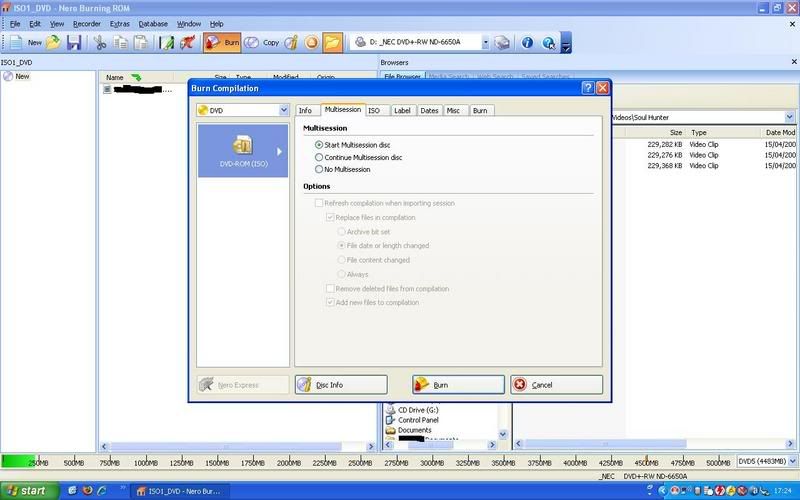
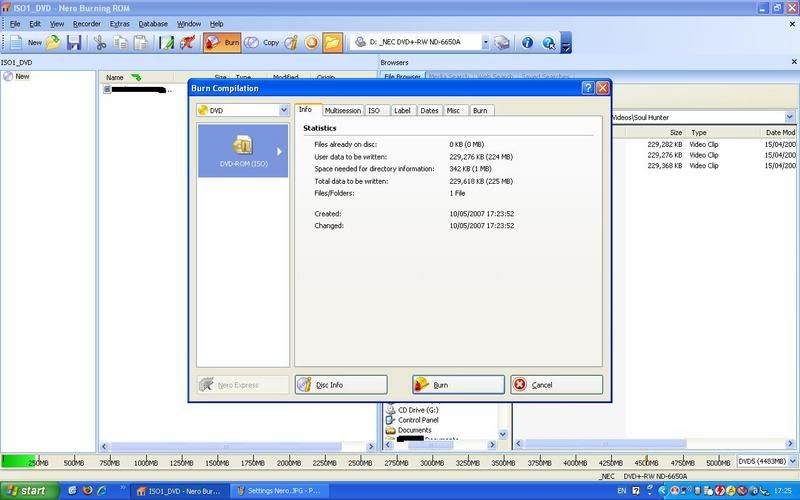
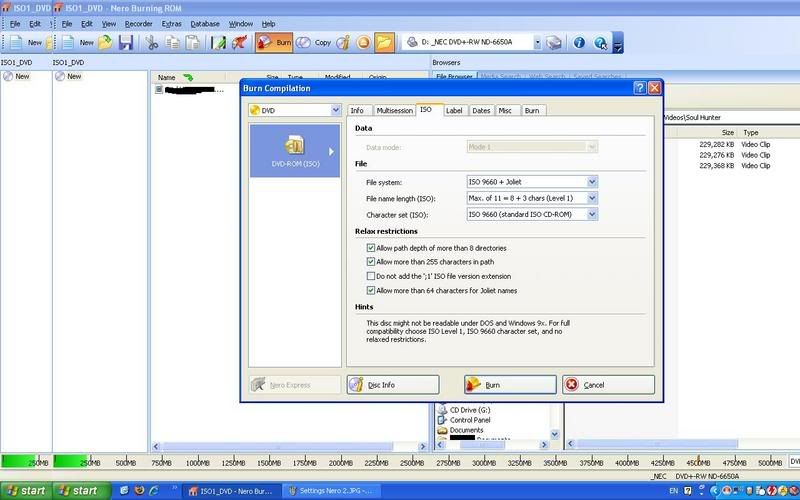
Your first screenshot shows the radio button for Multisession as checked. Recording this way allows the drive to record more material on the disc at a later time without finalizing it. (Formatting the disc does the same thing, but formats: 1) are not standardized and are incompatible with each other, and 2) take up disc capacity.) You would have to finalize this DVD+RW in order to write the capacity to it and the address structure. Until that time, only the original recording drive should be able to add more data to the disc.
In order to protect the files already recorded onto the disc, the disc is locked. That's why you can't erase it. Finalize the disc; transfer the files recorded onto it so that you don't lose them in case they are valuable; then erase the disc fully. That will restore it to its original condition. In the future you have the choice of formatting (InCD is perfectly fine if you know how to use it, but DVD+RW generally also allows simple drag and drop functions without a special need to formalize.) or avoiding multisession recordings altogether if you want to take the disc to use in other drives. For now you will have to go through a formal finalization process to get past the multisession lock.
|
|
ronyap
Junior Member
|
11. May 2007 @ 14:11 |
Link to this message
|
HI!
I have got VERY good news :D. I have fixed it. I can now erase my discs and use them! All did was uninstall all my burning software totally off my computer. I then installed Sonic RecordNow Deluxe, and it allows me to erase. However, I will try and install Nero back onto my computer, as it would be a waste if I dont, and see if there is any conflict. I hope theres not!
Here's a pic to show my success!
http://i21.photobucket.com/albums/b293/Naruto28/YES.jpg
Thanks for all your help!
And Joeryan, Ill have a try in Nero when I install it back again ^^.
Thanks again! I am sooo relieved. :P
|
Member
|
11. May 2007 @ 14:17 |
Link to this message
|
ronyap, Just for your information, I have Record Now DX and Nero on my computer with no ill effect, but your problem might be something else.
|
|
Advertisement
|
|
|
Senior Member
|
12. May 2007 @ 06:09 |
Link to this message
|
|
DVD RW are good for going bad at some point they die when you really don't want them too so don't trust them unless you have the data backed up or you will learn the hard way ! DVDR's are bad enough they fade away with age and sunlight
RBROCK
|
|