|
bought wii-clip + d2pro.. now what..?
|
|
|
kghost
Newbie

|
2. March 2008 @ 23:47 |
Link to this message

|
i heard that the wii clip makes it SUPER easy to install so i bought one.. so how do i install this one?
what kind of solder would be necessary for soldering this thing on my wii?
what soldering tool? wattage?
recommendations of specific products for solder/soldering tools? tips..?
all help is appreciated.. =D
|
|
Advertisement
|
  |
|
|
|
penguin98
AfterDawn Addict
|
3. March 2008 @ 12:56 |
Link to this message
|
Any sort of thin silder and ultra-fine point iron should work. From what I've seen of the wiiclip its still not a simple install but its alot easier than the alternative.
Just solder it into the bracket and fit the clip over the wii drive chip. Theres some good pictures on the wiiclip site that show you exactly what you need to do.
http://www.wii-clip.com/
|
AfterDawn Addict
|
3. March 2008 @ 15:58 |
Link to this message
|
|
To be honest it is kinda idiotic to buy something before knowing what to do with it....
|
|
penguin98
AfterDawn Addict
|
4. March 2008 @ 03:28 |
Link to this message
|
Originally posted by kghost:
Hello, i have recently purchased a wii-clip along with the d2pro modchip.
I have a couple (nooby) questions about the installation process..
1) First of all, what mm rosin-core solder would u recommend, and what soldering tool (wattage etc) would you recommend?
2) I was wondering if soldering ONLY the (P, M, N, L, K, J, H, G, F, 9, C, E, D, 5, 6, 7, 8) areas of the modchip to the wiiclip was necessary for full installation..
and
3) would i still have to solder the power supply (+3.3 volts), and the Power Supply (ground).. or will the modchip have sufficient power through the attachment of the wiiclip?
Thanks for those who took the time to read and responded =]
Quoted from your other post on the same topic.
Anyway, to answer your questions
1)
Solder: the thinnest you can find.
Iron: the sharpest point and lowest wattage you can find.
2) Why would you think you dont need to solder points? If they're included on the chip then they're probably important.
3) Refer to answer #2. Theres some pretty good diagrams on the wiiclip website. Make your chip look like those.
|
|
kghost
Newbie
|
4. March 2008 @ 18:38 |
Link to this message
|
|
oh.. crud.. i misread d2pro as d2c pro.
|
|
tom35
Junior Member
|
4. March 2008 @ 18:57 |
Link to this message

|
Yeah D2Pro wont work with the Wii-Clip.
D2C-Pro will work but it is only a D2CKey Clone.
Wii-Clip is supposed to be developing multiple versions for different Mod Chips.
They are expecting a D2Pro Wii-Clip around March 15th
|
|
tom35
Junior Member
|
4. March 2008 @ 19:05 |
Link to this message
|
If you really want to use the Wii-Clip with the D2Pro, you can hard wire.
What you would need to do is put electric tape on the bottom of the Wii-Clip connections that connect to the ModChip (To make sure you do not get any connections on the mod chip.)
Solder the GND and 3V3 Pads on the D2Pro to the GND and 3V3 Pads on the Wii-Clip
Hard Wire:
D2Pro      Wii-Clip
PAD        PAD
9          2
C          F
D          M
E          N
F          P
G          Q
H          R
J          S
K          T
L          U
M          V
N          W
X          P
Then you would need to HardWire the 4 Region Overrides if wanted.
This message has been edited since posting. Last time this message was edited on 4. March 2008 @ 19:07
|
|
welly59
Newbie
|
5. March 2008 @ 13:09 |
Link to this message

|
have you got the wii-clip or is it on pre-order? i'm thinking of buying one but want some feedback or pictures of the underside before i decide!
|
|
penguin98
AfterDawn Addict
|
5. March 2008 @ 13:14 |
Link to this message
|
|
I'd like to see the underside of this thing as well. I'm just interested in how it attaches to the chip.
|
|
tom35
Junior Member
|
5. March 2008 @ 15:49 |
Link to this message
|
|
Mine is on order.
I plan on giving it a thorough review once I receive it.
I also am interested in the bottom of the clip since there are no pics of it anywhere.
|
|
tom35
Junior Member
|
6. March 2008 @ 13:06 |
Link to this message
|
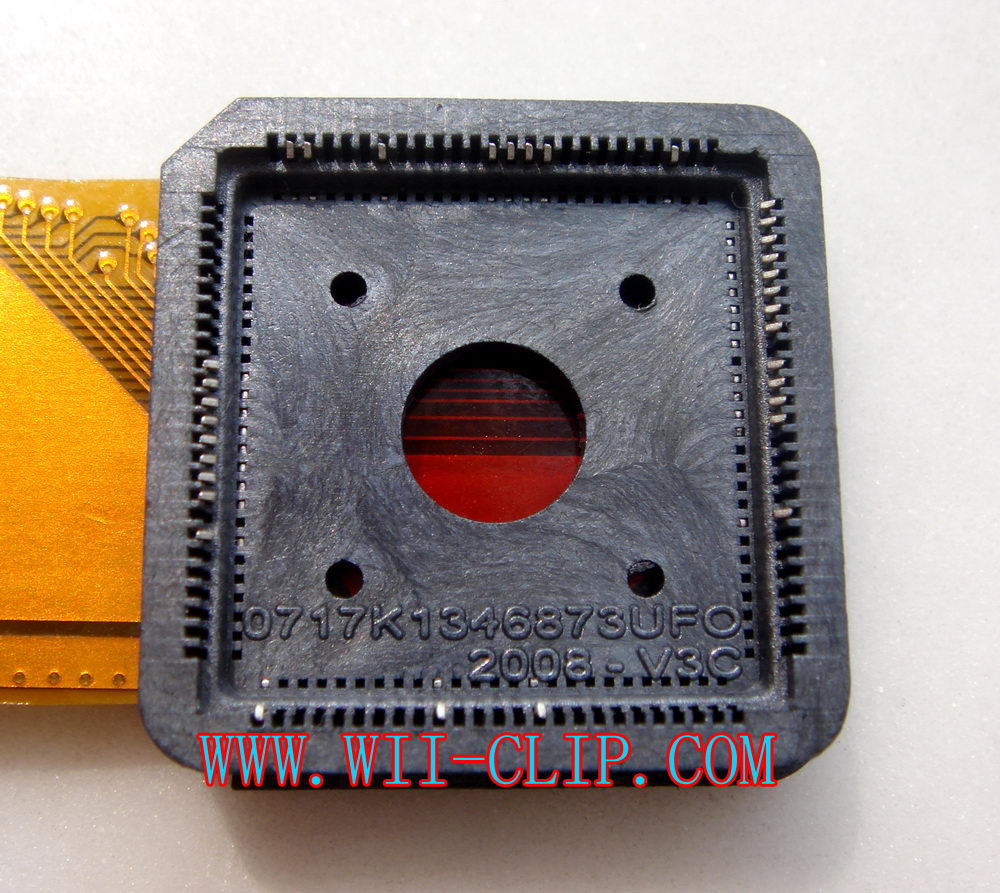
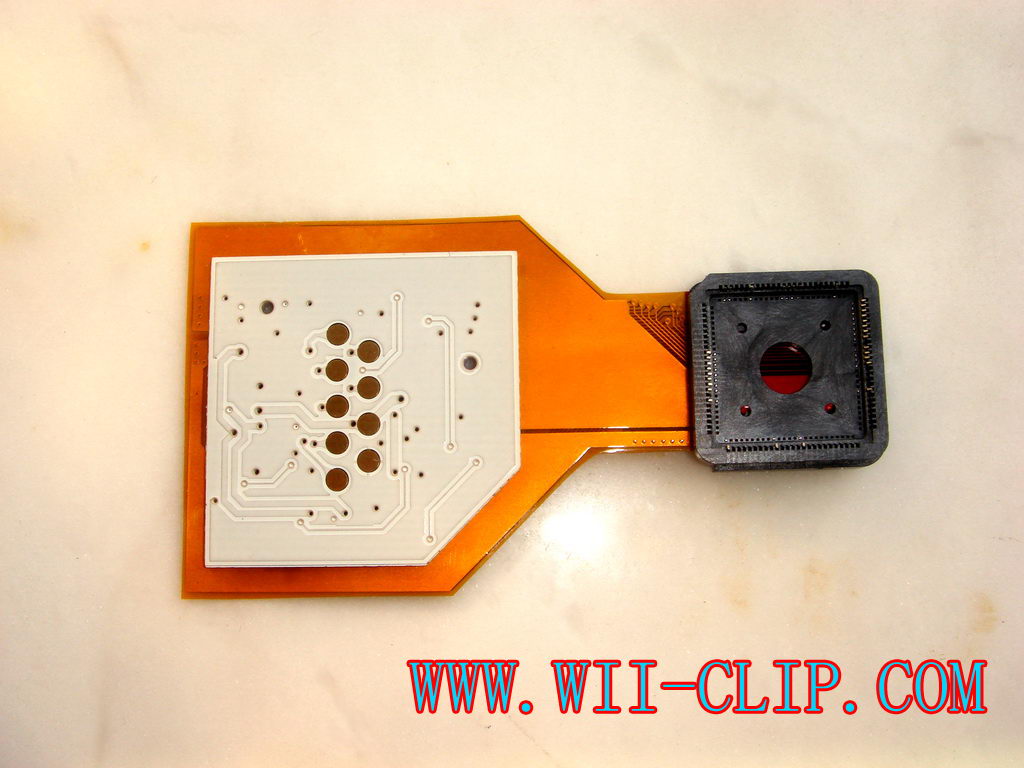
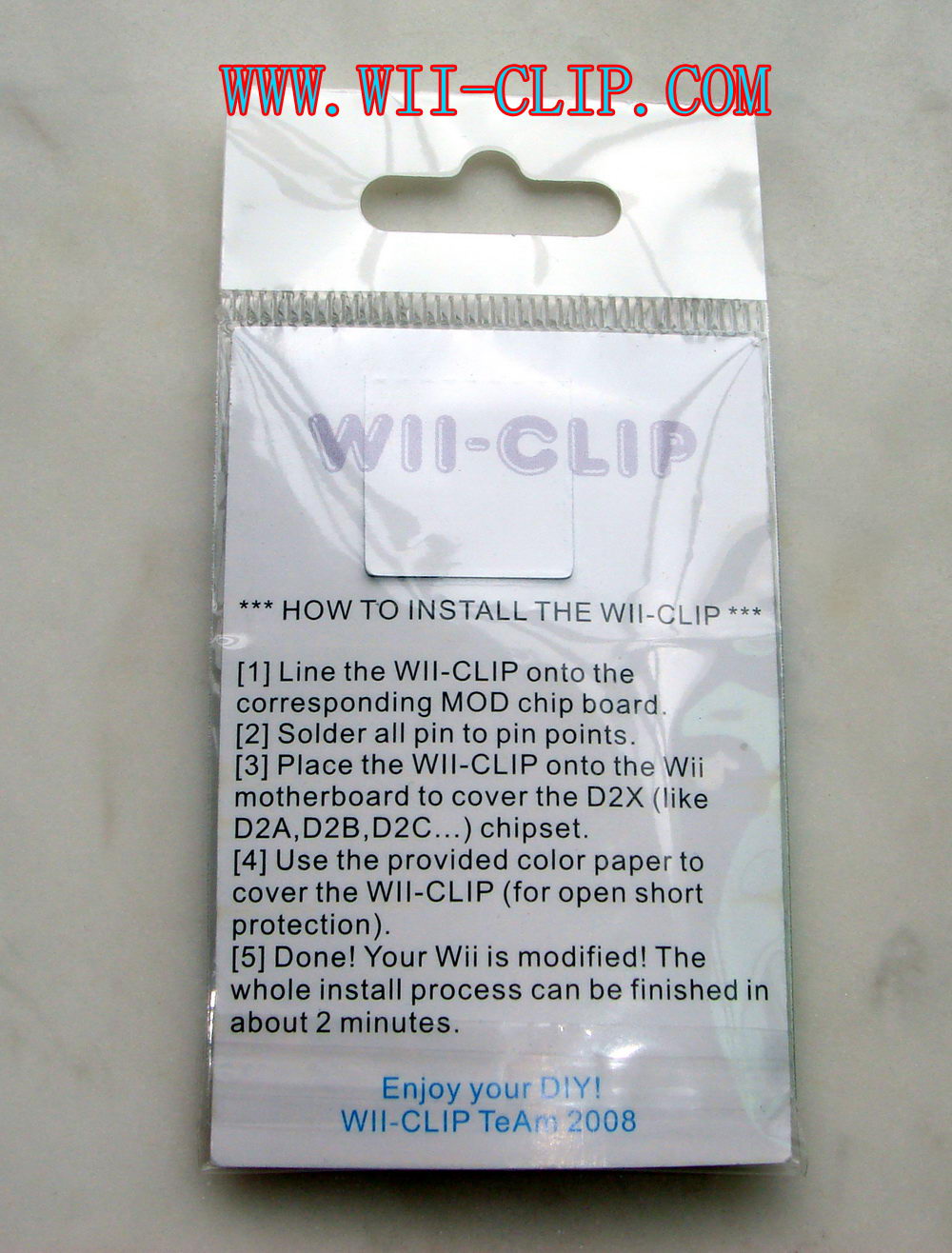
Wii-Clip has updated their site with underside views of the Wii-Clip
This message has been edited since posting. Last time this message was edited on 6. March 2008 @ 13:08
|
|
penguin98
AfterDawn Addict
|
6. March 2008 @ 14:05 |
Link to this message
|
|
Well that shows the contact points really well. I'm not sure how exactly it stays attached but I guess if it came loose a little electrical tape would keep it down.
|
|
tom35
Junior Member
|
17. March 2008 @ 17:09 |
Link to this message
|
I got my Wii-Clip V1 today.
From initial observances the product seems to be built well.
I have not had a chance to run a multimeter test, to hook my D2CKey to it, or even to do a fit test on the D2C chip.
I will post my full review once I get a chance.
Busy time at home and at work but am hoping to get to it tonight or tomorrow.
This message has been edited since posting. Last time this message was edited on 17. March 2008 @ 17:10
|
|
washburn1
Newbie
|
18. March 2008 @ 02:00 |
Link to this message
|
|
|
|
tom35
Junior Member
|
18. March 2008 @ 08:21 |
Link to this message
|
I have done a thorough review of the Wii-Clip and the product is made very well and fits very well to the chip.
It took a little fidgeting to get the Wii-Clip to clip over the D2C chip but once I had it set properly, I heard a little click and was able to give slight tugs and the Clip held to the chip.
Pulling hard will definitely dislodge the clip from the chip, but for everyday use, I do not see a problem where the clip would fall off.
I checked the contact points and they all were read fine by the multimeter.
I did shake the Wii and Banged it a few times after the install and when I opened the Wii again, the clip was still holding firm and contact points still good with the multimeter.
I do not see much of an issue with traveling with the Wii unless there is substantial jostleing about.
For $29 US it was a good investment.
I did notice that the Wii-Clips have raised in price by $10 US and are now $39 US.
I would still think that this would be a good investment.
Especially for the soldering challenged.
I will be getting another for the D2Pro.
Below are the pics I took during my install.
Sorry the pics suck, I think my Fiance was messing with the settings of my camera and I did not notice until after I had the Wii back together for the second time
My Wii-Clip

Wii-Clip and D2CKey

D2CKey Soldered to Wii-Clip

Wii-Clip and D2CKey Installed on the DVD Drives D2C Chip

|
|
tom35
Junior Member
|
18. March 2008 @ 11:17 |
Link to this message
|
For people worried about the Airflow issue that has been raised, the PCB is much heavier then the Flex PCB and the design is so that the PCB is not resting on the board, it is raised a bit so airflow can go under the PCB of the Wii-Clip.
Also on a side note, I opened my Wii again today and put a small layer of wrapped electrical tape on top of the clip.
Now the Clip is being held securely against the metal plate shielding the System Board.
I was shaking the Wii furiously and my backups are still working.
Ido recommend this product to anyone wanting to mod their Wii.
I will be getting the D2Pro Wii-Clip when available.
This message has been edited since posting. Last time this message was edited on 18. March 2008 @ 11:57
|
|
rich711
Newbie
|
18. March 2008 @ 12:08 |
Link to this message
|
Any isues with the Wii D2C chip itself overheating because of
the Wii-clip cover over it, or is there sufficient ventilation
room around its edges? It looks like it might be possible to
drill some ventilation holes in the Wii-clip cover, but conductors
running through there could make it challenging.
|
|
tom35
Junior Member
|
18. March 2008 @ 13:19 |
Link to this message
|
There is no room for air to circulate under the clip to the D2C Chip
I do not know where the circuitry is running in the clip itself, so do not know of any possible drilling points
I am not worrying much about the actual D2C chip overheating.
But if by some odd chance it does overheat, I have a Warrantee and will get it fixed by Nintendo for free since there will be no indication of me Modding the Wii.
This message has been edited since posting. Last time this message was edited on 18. March 2008 @ 13:23
|
|
washburn1
Newbie
|
18. March 2008 @ 13:40 |
Link to this message
|
|
tom35, did you order your clip from IC2005? If so, how would you rate their reliability and shipping speed?
|
|
tom35
Junior Member
|
18. March 2008 @ 13:57 |
Link to this message
|
Yes that is exactly where I got it from.
Their service was good. They answered emails and Posts on their forums promptly.
The shipping speed is hard to tell.
I had preordered my Wii-Clip on Feb 27th and received it yesterday.
They actually shipped mine earlier then some others due to the fact that I was reviewing for a few forums and a non official review for a retailer.
The Clip was to be shipped Wednesday night (may have been Thursday since it was Hong Kong) and I received it on Monday.
So when it did finally ship, it took 3 Business days via DHL.
This message has been edited since posting. Last time this message was edited on 18. March 2008 @ 13:58
|
|
fremo
Newbie
|
19. March 2008 @ 05:28 |
Link to this message
|
|
I will be getting mine soon I read that ther eis a option to disable the chip if you run a jumper wire from RE on the modchip to the middle solder point (of 3) on SW2. any one know any thing about this ?
|
|
tom35
Junior Member
|
19. March 2008 @ 09:10 |
Link to this message
|
Originally posted by fremo:
I will be getting mine soon I read that ther eis a option to disable the chip if you run a jumper wire from RE on the modchip to the middle solder point (of 3) on SW2. any one know any thing about this ?
To set a switch for disabling, you would want to do one of the following:
1.)
a.)Do not solder the ground on the Wii-Clip and Modchip, use electrical tape to make sure that the points dont touch
b.)solder 1 wire to the Wii-Clips Ground pad
c.)solder 1 wire to the Modchips Ground pad (make sure the 2 wires are not bridged)
d.)solder the 2 wires to a switch
2.)
a.)Use a multimeter (continuity) to find which tooth in the clip is the Ground
b.)Either pull the tooth out or use a small amount of electrical tape to cover that tooth.
c.)solder 1 wire to the Ground pad on the DVD circuit board
d.)solder 1 wire to the modchip/Wii-Clip Ground pad
e.)solder the 2 wires to a switch
|
|
opponent
Newbie
|
20. March 2008 @ 09:02 |
Link to this message
|
Just a quick question for tom or anybody who knows the answer really. Got the Wii-clip yesterday and before I put it in wanted to know do i need to do anything for region settings. I have a PAL system (UK) and only intend to play PAL games
So do i need to do anything with Jumper 1 or 2
Sorry forgot to add i have a D2CKey
Thanks
This message has been edited since posting. Last time this message was edited on 20. March 2008 @ 09:06
|
|
tom35
Junior Member
|
20. March 2008 @ 09:26 |
Link to this message
|
If you are not planning on playing any other regions, then no you do not have to do anything with the jumpers.
However, the jumper configuration for PAL for D2CKey is 2 only.
The Wii-Clip will already have the optional region override connection made so I personally would use the jumper just in case.
It would suck to have to open the Wii again in the future to set a jumper, if you did decide to play another regions game.
This message has been edited since posting. Last time this message was edited on 20. March 2008 @ 09:27
|
|
Advertisement
|
|
|
|
opponent
Newbie
|
20. March 2008 @ 10:13 |
Link to this message
|
Quote:
The Wii-Clip will already have the optional region override connection made so I personally would use the jumper just in case. Quote:
I am a little confused by this statement (sorry if i am being dumb) could you explain.
Also what do i need to do to the jumper
Thanks in advance
|


