User User name Password  
   
Thursday 16.7.2026 / 15:24
Search AfterDawn Forums:        In English   Suomeksi   På svenska
afterdawn.com > forums > consoles > ps2 - dvd backup discussion > need help fast (dvd dcryptor prob)
Show topics
 
Forums
Forums
Need help fast (dvd dcryptor prob)
  Jump to:
 
Posted Message
beeno
Junior Member
_
2. March 2006 @ 13:02 _ Link to this message    Send private message to this user   
Ok so i'm tryin to make my first copy today, and when i am in the write mode of the decryptor, it says "device not ready (meduim not presented)" even though i have a dvd-r in it. please help
Advertisement
_
__
beeno
Junior Member
_
2. March 2006 @ 13:08 _ Link to this message    Send private message to this user   
o crap well i just realized taht i am using a brand "Imitation" and they r "video Photo data." will that make a difference
scoomp
Newbie
_
2. March 2006 @ 14:02 _ Link to this message    Send private message to this user   
Imation???? omg, lol. i hope you didnt buy a large spindle. Imation and memorex are the 2 worst out there (opinion only).

keep an eye out for whats on sale, you can usually find some verbatim or tdk or sony, maxell on sale always. keep an eye out. if you are using single layered disks, then you will need DVD Shrink to compress the over 5 gig movie so it will fit onto the single layer.

there are many guides to help you back up your movie on here

HOME BUILT COMPUTER (screw all hp and dell and crap)
AMD 3200+ CPU
ABIT K8T800 PRO 754 PIN
NvIDEA 5300 VGA 256mb
KINGSTON 1024MB RAM PC3200
MAXTOR 160 GIG HDD
Seagate 160 GIG HDD
Maxtor 80 GIG HDD
SONY 710A DVD R-RW
SONY CDR-RW
17" KDS FLAT PANEL MONITOR
beeno
Junior Member
_
2. March 2006 @ 14:08 _ Link to this message    Send private message to this user   
how many bytes are in a gig
it says the size of Vice city (the game im copying) is 4,667,703,296 bytes
AfterDawn Addict
_
2. March 2006 @ 16:21 _ Link to this message    Send private message to this user   
Are you using a Modchip or swapmagic disks?
Your ps2 wont play copied games without one of these.


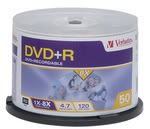
Use Quality Media I use
Verbatim dvd+r

***** BURN AT NO MORE THAN 4X****** <-----------(IMPORTANT)
TURN OFF ANY BACKGROUND APPLICATIONS


1. Take the ps2 game put it in the dvd rom or dvd burner, your choice.

2. open the dvd decryptor program then go to to tool bar and hit MODE>ISO>READ. Then choose the correct dvd drive that the game is in as the "source". Also choose where you want the files to be stored on the pc hdd. THEN CLICK DECRYPT , or the huge graphical picture at the bottom of the program which makes it run. The game is now copying to your HDD. Take the game out when finished (it might take a while).

3. Go to the same tab in dvd decryptor and choose MODE>ISO>WRITE. This will then let you look for the files you just created in step 2. Select the file that you just created. (There is only 2 files creadted so pick the .mds) (The smaller file)Then click WRITE, make sure there is blank DVD in the drive.

http://www.digitalfaq.com/media/dvdmedia.htm

The following list is in preference order. The best discs are near the top of the list. The discs at
the bottom of the list are suitable only for a landfill.

Almost flawless burns with 95-100% reliable results:
PVC = Pioneer = (-R)(-RW)
MXLRG01, MXLRG02 = Maxell = (-R) ... be aware of unbranded fakes
MCC = Mitsubishi Chemicals = (-R)<-----------------VERBATIM MY CHOICE #1
TDKG02 = TDK Corp = (-R) ... be aware of unbranded fakes
TAIYOYUDEN or YUDEN = Taiyo Yuden = (-R)<--------------FUJIFILM (made in japan) MY CHOICE #2

Update your firmware


Possunt Quia Posse Videntur.

This message has been edited since posting. Last time this message was edited on 2. March 2006 @ 16:25

Decon954
Member
_
2. March 2006 @ 16:25 _ Link to this message    Send private message to this user   
Don't buy TDK disc at best buy if your in the usa I have found them not to be that good, Go with verbatim.
beeno
Junior Member
_
2. March 2006 @ 16:30 _ Link to this message    Send private message to this user   
ok well i dont think u guys are gettin what im trying to say...

i did the reading part...then i went to the write part, selected the right file, and inserted a sony dvd-r into my burner (on the front of the burner it says dvd+rw if that makes a diff)

now at the bottem it says device not ready (medium not present)

anything??

this is for a ps2 game

This message has been edited since posting. Last time this message was edited on 2. March 2006 @ 16:30

Decon954
Member
_
2. March 2006 @ 16:37 _ Link to this message    Send private message to this user   
Beeno, You are right you may have a r+ writer. If you have Nero or dvd identifier you can found out.
beeno
Junior Member
_
2. March 2006 @ 16:40 _ Link to this message    Send private message to this user   
this is really making me mad but Nero is refusing to show my dvd drive and only my cd drive
Decon954
Member
_
2. March 2006 @ 16:46 _ Link to this message    Send private message to this user   
beeno, STOP POSTING IN TWO DIFFERENT TREADS!!!!!!
Advertisement
_
__
 
_
AfterDawn Addict
_
2. March 2006 @ 17:05 _ Link to this message    Send private message to this user   
You need to use +r discs beeno, sounds like your burner cant burn -r discs (yes there is a difference).


V9 PS2, flip top, SMD, DVDLoader
Pioneer 107, ritek g05
DVD Shrink, DVD Decrypter, Nero
afterdawn.com > forums > consoles > ps2 - dvd backup discussion > need help fast (dvd dcryptor prob)
 

Digital video: AfterDawn.com | AfterDawn Forums
Music: MP3Lizard.com
Gaming: Blasteroids.com | Blasteroids Forums | Compare game prices
Software: Software downloads
Blogs: User profile pages
RSS feeds: AfterDawn.com News | Software updates | AfterDawn Forums
International: AfterDawn in Finnish | AfterDawn in Swedish | AfterDawn in Norwegian | download.fi
Navigate: Search | Site map
About us: About AfterDawn Ltd | Advertise on our sites | Rules, Restrictions, Legal disclaimer & Privacy policy
Contact us: Send feedback | Contact our media sales team
 
  © 1999-2026 by AfterDawn Ltd.

  IDG TechNetwork