|
Burning to Dual Layer
|
|
|
ocar10
Newbie

|
12. January 2008 @ 01:16 |
 Link to this message

|
I am working on a project of transferring a VHS to DVD. I transferred the VHS to PC using Winfast 2000 TV Card which produced a 9.6Gb DVD PAL Mpeg2 file. I converted this file to 5.97 Gb DivX using latest Dr DivX. I used Nero 7 Ultra Nero Express to Burn the DivX Data File to both of DVD + & - Dual Layer discs. I have found that my near new NEC NDT43 and my new Pioneer DV 600A have problems playing these discs, in as much as they both reach the 00:59:00 point and return to the Menu, leaving the balance unplayed. Both the File and the Discs play right thru to the end using my Pioneer 115D Burner on the PC. Is it possible that this problem is related to the point of transition from Standard to Dual Layer, because both players stop at the same point, and if yes, is there a remedy for this problem.
Any advice in this matter will be greatly appreciated. Surely there is a sound method of doing what I am trying to do in this project.
Thank you
Keep smiling, your day can only improve
|
|
Advertisement

|
|
|
|
AfterDawn Addict
|
12. January 2008 @ 07:22 |
Link to this message

|
I also have the same Winfast 2000 TV Card and all I do is use NeroVision ONLY to burn the resulting files to DVD ...no conversion is needed. FYI: Nero is NOT the greatest prog to use when burning D/L discs.
|
|
Amir89
Senior Member
|
12. January 2008 @ 09:53 |
Link to this message

|
Yep sounds like Nero screwed the layer transition and your standalone players are not recognizing it properly.
Use ImgBurn instead, it's a much more robust and reliable software. Use the "Build Mode" function to add your DivX file as a data disc.
Btw.. what media are you using and what speeds are you burning at?
|
|
Xplorer4
Senior Member
4 product reviews
|
12. January 2008 @ 14:37 |
Link to this message
|
There is no point in taking the MPEG2 file and making it into a DivX AVI. Just Load the MPEG2 into Nero and convert it and burn using ImgBurn. If your set on encoding the MPEG2 to AVI use xvid instead for a far better picture quality imo.
|
|
ocar10
Newbie
|
12. January 2008 @ 17:41 |
Link to this message
|
Thank you people for quick response.
Gwendolin----Are you saying Nero Vision will burn the DVD PAL Mpeg2 9.6Gb file to a DL 8.5 disc with any further conversion ???????????
Amir89----I am using Verbatim 4x Media and I did the burn at 4x. What gaurantees do I have that ImgBurn will definitely overcome this apparent transition problem. DL media is quite expensive and unfortunately there is no pretest that can be performed before performing the burn, as is evidenced by the tests that I have already done.
Thank you both, I will now leave in deeeeeeeeep thought.
Keep smiling, your day can only improve
|
AfterDawn Addict
|
12. January 2008 @ 18:10 |
Link to this message
|
Quote:
Gwendolin----Are you saying Nero Vision will burn the DVD PAL Mpeg2 9.6Gb file to a DL 8.5 disc with any further conversion ???????????
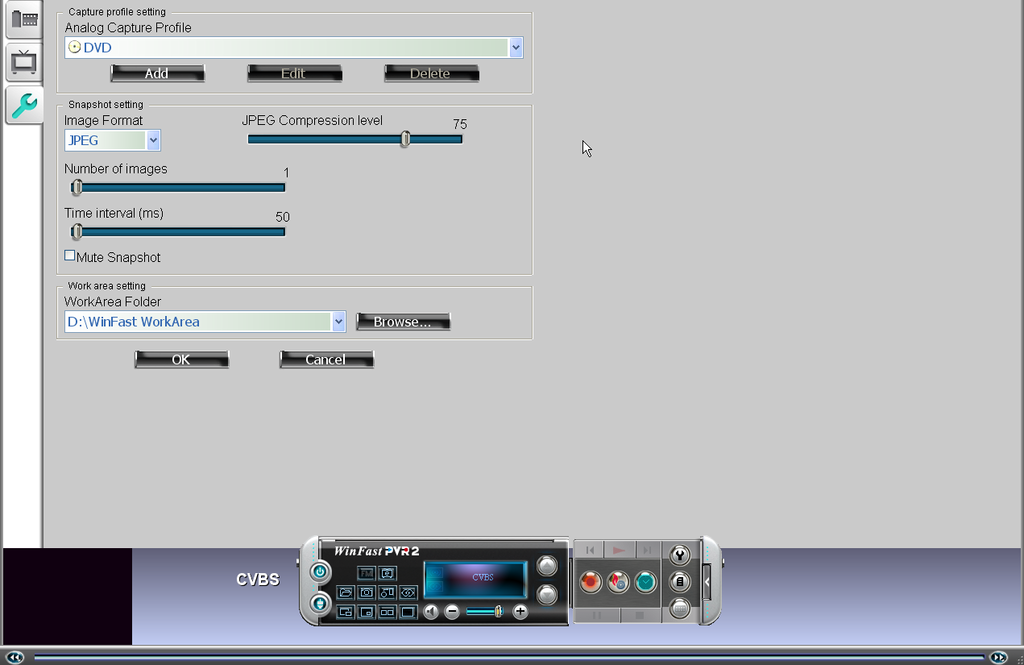
Basic answer is yes, I convert my VHS in this manner all the time...to date I have done around 15 x 3 hour tapes to DVD...basically I capture files to HD and then just use NeroVision to burn.
|
|
ocar10
Newbie
|
12. January 2008 @ 18:42 |
Link to this message
|
Gwendolin, thanks.
What version of Winfast 2000 do you use to Transfer VHS to HD. I use WinFast 2000 also but your shown screen is quite different to mine.
However, regardless of version, the end file on the HD should end up being the same and you are saying Nero Vision will burn this huge file to 8.5 DL, WITHOUT further conversion.
Without is emphasised because I used the word "with" instead of "without" in my previous reply.
Thank You
Keep smiling, your day can only improve
|
AfterDawn Addict
|
12. January 2008 @ 19:16 |
Link to this message
|
|
|
ocar10
Newbie
|
12. January 2008 @ 19:32 |
Link to this message
|
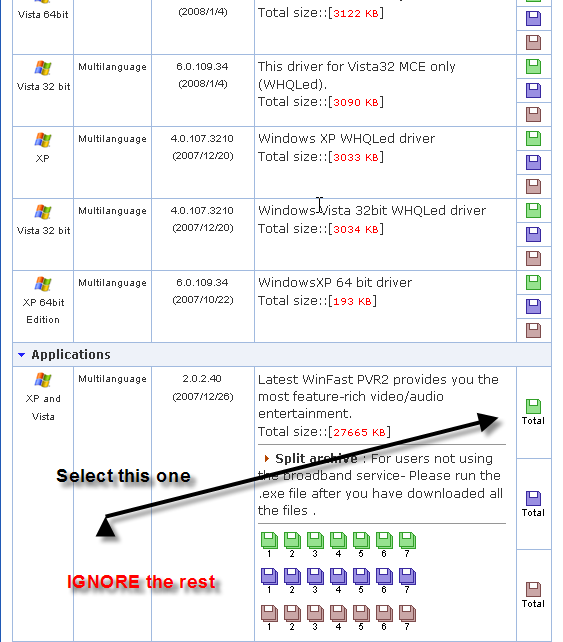
Thanks Gwendolin, I will download this for future upgrade and use.
In the meantime I should still be able to use the already transferred file that I have and use nero Vision to burn as you suggest.
Thank you
Keep smiling, your day can only improve
|
AfterDawn Addict
|
12. January 2008 @ 19:44 |
Link to this message
|
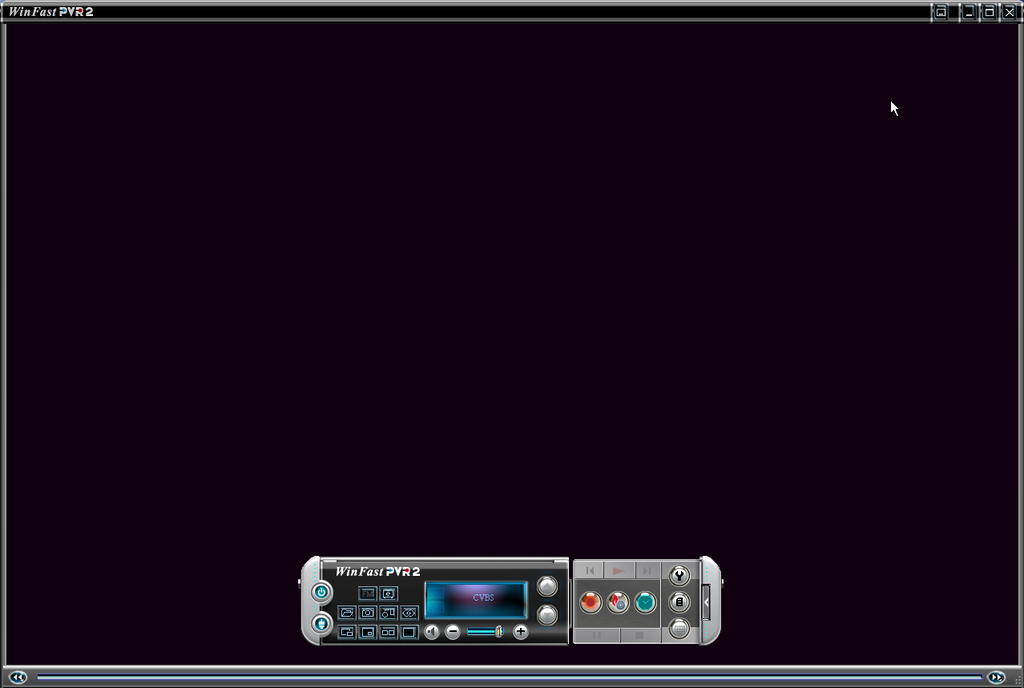
By downloading the above drivers you will notice a vast improvement in your Winfast...much better screen etc
I also have my TV cable connected to my comp so I can capture and burn anything off the TV.
This message has been edited since posting. Last time this message was edited on 12. January 2008 @ 19:45
|
|
ocar10
Newbie
|
12. January 2008 @ 20:25 |
Link to this message
|
|
Thanks Gwendolin, you have been most helpful.
Keep smiling, your day can only improve
|
|
Amir89
Senior Member
|
13. January 2008 @ 09:45 |
Link to this message
|
|
AfterDawn Addict
|
13. January 2008 @ 16:11 |
Link to this message
|
@Amir89,
Fortunately I am yet to experience any problems that you have indicated with NeroVision...pick the right version of Nero and you're set, at present I am using 7.10.1.2.
That's only my experience however if you've experienced problems then I can understand why you recommend another prog...I have also used ConvertXtoDVD and agree it's an excellent prog but is NOT free.
|
|
Amir89
Senior Member
|
14. January 2008 @ 02:25 |
Link to this message
|
Gwendolin your a lucky one then...
Jw.. when you used ConvertX how did the quality compare to NeroVision?
I don't use Nero for anything apart from general Data burning nowadays.
ConvertX is good,but DVD Flick while having exactly the same features, is A: Free and B: Allows for better quality by letting you adjust bitrates manually.
As long as you know how the use it properly; which a lot of new users don't unfortunately so they go for the easier option. I'm not saying ConvertX doesn't give decent results, but DVD Flick can give you way better quality if you just pay attention to the guides.
Also many users don't realize it can author and burn your DVDs for you so they assume it's not a one-click transcoder...
|
|
ocar10
Newbie
|
17. January 2008 @ 23:11 |
Link to this message
|
Gwendolin, you are a gem.
Since your suggested Winfast Driver update to PRV 2 I have again transferred my VHS Tape to PC using the new version. As against a transferred file size of 9.6Gb on my original Winfast, the new version transferred it at 3.47Gb and I was able to successfully burn it to a Single Layer DVD, using Nero Vision 4 and this disc plays well on my NEC Player.
Thanks to your efforts and advice, what had taken me 3 weeks of frustation and wasted disc cost, has been successfully resolved this morning in about 2.5 hrs.
Thank you Gwendolin.
Thanks also go to the other members who also provided advice.
If no further discussion is forthcoming in the next week, I will unsubscribe from this topic.
Keep smiling, your day can only improve
|
|
ocar10
Newbie
|
17. January 2008 @ 23:27 |
Link to this message
|
|
Gwendolin, I forgot to mention in previous post, I have been trying to obtain the User Manual for the latest PRV 2 that I updated but have had no success from Leadtek website. I reckoned I had found the download I needed but the download seems to dissappear into Cyberspace, because it does not ask where I wish to save it and I cannot find it on my PC.
This new version seems to have some extra features, such as "Split" that I cannot find on the Interface anywhere. I would like to establish all of its features and procedures, if I can.
Can you or anyone else in the forum, offer some assistance in this matter.
Keep smiling, your day can only improve
|
|
captspald
Newbie
|
20. January 2008 @ 11:06 |
Link to this message
|
Hey Everyone,
I am a newbie and I first want to thank everyone for this great resource. I have used these forums several times over the last months as I have tried to learn more about saving and burning files to dvd.
This forum seems to address my specific problem but just wanted to verify based on my own situation. And as I said I am a newbie so if I say something stupid please correct me.
I have a dvd folder (video_ts) on my HD with all of the usual files. I wish to burn the entire dvd onto one dvd and do not want to sacrifice quality. I have two problems---one is that it is currently PAL and the other is that the entire file is just over 7GB. If I am understanding this thread correctly, I can use Nero Express to do everything and it will convert to NTSC and also burn onto a DL DVD.
Is that correct? And, is that the best way to go based on your experiences? I appreciate any help. Thanks.
|
|
Advertisement
|
|
|
AfterDawn Addict
1 product review
|
20. January 2008 @ 12:09 |
Link to this message
|
Originally posted by captspald:
Hey Everyone,
I have a dvd folder (video_ts) on my HD with all of the usual files. I wish to burn the entire dvd onto one dvd and do not want to sacrifice quality. I have two problems---one is that it is currently PAL and the other is that the entire file is just over 7GB. If I am understanding this thread correctly, I can use Nero Express to do everything and it will convert to NTSC and also burn onto a DL DVD.
Is that correct? And, is that the best way to go based on your experiences? I appreciate any help. Thanks.
Nero Vision will do the conversion from PAL to NTSC. It can also burn to the DVD, however, I would recommend you use ImgBurn for burning a dual layer disc(since you don't want to compress). ImgBurn works better than Nero on the layer brake. Also, Verbatim are the best for DL media.
 Piss me off, and I Will ignore You! Piss me off, and I Will ignore You! |