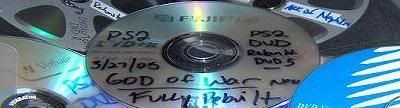
Ive been using Ritek discs to backup up my games and using Swap Magic 3.6 with a PStwo flip top. Ive only just started making backups and on some games the sound cuts and then the game stops working, ive noticed this has only happened on games i have labelled with paper cd labels and when i have made a backup of the same game agian without a label it is fine. Do the labels affect it or could i be using fake Ritek discs, what does the packaging look like?
Thanks in advance.
i dont know much bout paper labels, but i heard that it can mess it up, or that the cd might get hot enough where they peel.off, especially if they are not centered correctly. but then i also hear of ppl who use em without a problem. i just use disks that can be printed on so i jus skip the paper process entirely. but since you say it happens on disks with labels, you might wanna look into printers that can print on cds/dvds and printble cds/dvds
from what i have heard it is not a good idea.
It makes the disc weight and balance different and can cause you problems on playback.
Just go out and buy a sharpie marker and write on the disc.
That's what i do with all my games and movies.
Yah i am having the same problem as you are! The games with a paper label put on them always skip at about 10 minutes into the game! Heat maybe? I dont know! but i stoped labeling them and just used a marker and they work fine now! Anybody know why the label screws them up?
Simple physics really.
The disk spins faster when its close to the center.
With the added weight the motor has trouble keeping the
right speed when its reading the middle to center of the disk.
Bast thing is like said before.
A Sharpie never hurt.
(Unless you label the wrong side).
labels cause read problems.but some media can handle the labels better than others.the only dvdrs that work good with labels for me is sony dvd+r 4x(i also have a sony burner).i put embossing labels on all the others(you know those plastic strips that you have to click the letters into) and they dont affect the backups at all.
I've labeled a few of my games with CD Stomper and they work perfect.
I dont know if this will help, but after the label is on, hold the CD/DVD in your left hand, straighten your right index finger and lay it flat on the labeled side (duh lol) starting from the center and slide to the left like cleaning a CD/DVD, only slower (so you don't get any ink on your finger). Then rotate the disc and do the same thing until there are no more air bubbles and looks like it's on good.