Hello,
I am new here, but I have burned about 30 DVD's with DVD Shrink without any problems. Now I am trying to copy a DVD-Rom and I am having problems. I cannot remember the exact error, but when I try to backup the DVD I get an error message. I don't theink that the file extension is able to be read. I was wondering if anyone knew any software or tricks so I could copy this DVD-Rom. I have never tried, but I have heard of using DVD Decrypter, clone dvd, alcohol 12% etc...Thanks for any help that you guys can offer.
If shrink is producing an error while trying to rip the video files to your HDD (when you choose/click backup), it's more than likely due to copy protection it is unable to handle/process.
For these movies, try using a free ripper/decrypter like DVDFab decrypter to rip to your HDD with. You can get it here;
http://www.dvdidle.com/free.htm
Once DVDFab is done, simply open the files it created using DVDshrink and proceed as you normally would.
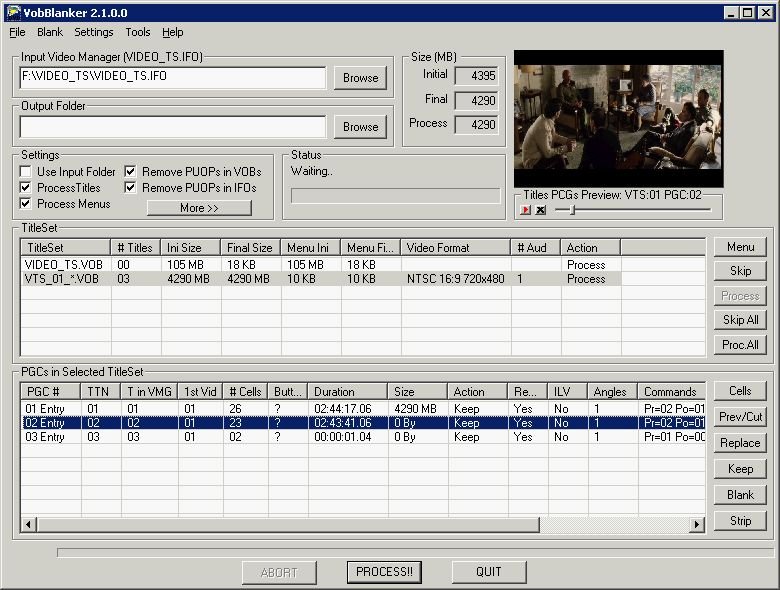
Note: Sometimes shrink will have a problem opening the files created by DVDFab, in this case you can try processing the files thru VobBlanker first then open the newly created video files by VobBlanker using shrink.
Another option is to use yet another free app called ripit4me, it uses shrink/fixvts/and DVD Decrypter to produce a backup. You can get it and the applications it needs here along with guides on use;
http://www.ripit4me.org/
$$$
If you're willing to spend a little dough and get a whole lot back in return, you could try using AnyDVD. AnyDVD is a driver that runs in the backround helping apps like shrink and DVD Decrypter crack the copy protection on the disk (it can also be used with clonedvd2 and Nero recode), if you're unsure about it, it comes with a 21 day free trial before you have to buy it.
Thanks for all the help. I will try the dvdfab later tonight and let you know what I find. Actually I just want to download it to my HD so I don't even need to burn it onto a disk. I just am trying to rip it and store it on my HD so I can watch it from my computer. Hopefully the dvdfab will work, but if not I will let you guys know the problems I run into. Thanks again for all the help guys.
Thanks John123. Well the dvdfab was not able to pick up the dvd-rom in the drive. I can't remember exactly, but I think it was telling me to put the disk in the drive or something like that. I tried a few other rippers and finally DVD Decrypter 3.5.2.0 worked a little. It read the dvd as a dvd-rom. I had to change to ISO mode and it saved it on the hard drive. I will now have to try to burn it. The funny thing is that I was working on a differnet computer last night that does not have a dvd burner. See I have a cable modem, but the computer with the devd burner has a 56k modem. So it saved the file with an easy cd creator icon. The file was 1.94 GB so that is too big to burn onto a cd, and since I don't have a dvd burner on this computer it would not burn it. So now I tried to use a send large file server to transfer that file to an email account. It took forever last night and I guess it did not work because I did not get an email. It would take too long anyways to download with 56k. Now I think I am going to go buy a small 2GB jumpdrive or borrow and mp3 player since I don;t have one so I can transfer the file to the other computer. But thanks for all the help, I sure do appreciate it. I could also compress the file. Well we will just see.