let say you have a wave 5 or 6 game, and you want ABGX to figure that out for you. well..
1. grab this new ABGX mod(reads 5&6 games)
[url=http://www.mediafire.com/?dykrnk4mtmc][/url]
once downloaded just stick the guiexe in the ABGX install folder, run like normal.
now lets say you have a ssv1 on a game late than wave three. here is how you fix that..
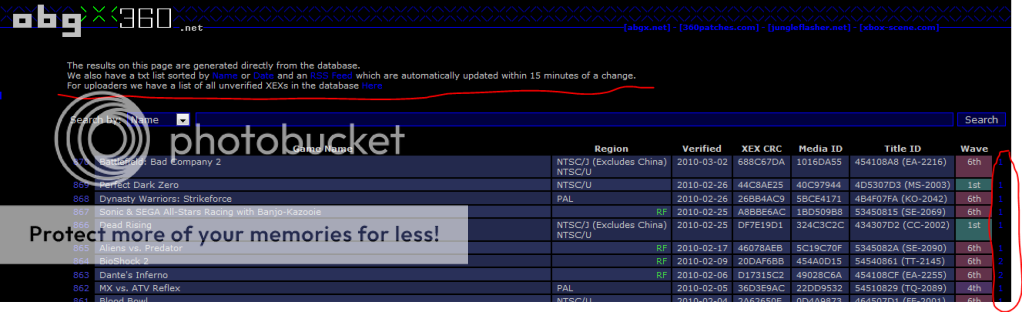
1.head to abgx verified page, find you game click on it . you will see on the far right a number...
(sorry)
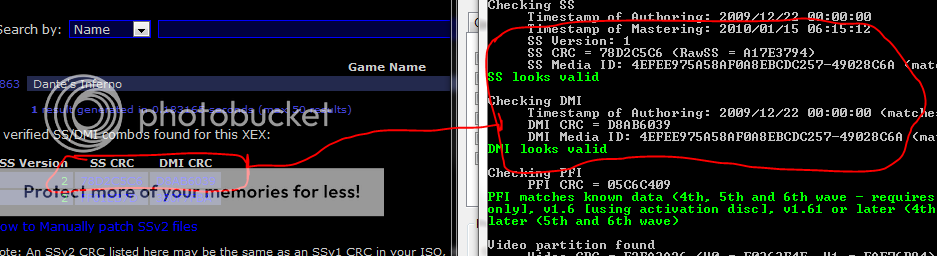
this is the mod in work. please look carefully.
and note the needed files.
click on it and download(after you match the crc and dmi) as you can see in the photo.
once downloaded .(hopefully you have ABGX open)
just manually patch the dmi and ss (like the pic)
noe just hit luanch and all will be green and blue with the ssv2.
NOTE i was using a iso and that will not work, that is why you do not see a finished screen shot.!!!!
SECOND is you have a iso and want to rerip back to PC then just use XBC, if you want to you can even use XBCto manually patch, but eventually you will be using ABGX to check final project. so why not just use one prog.
this was very rushed and if you see something let me know, i will edit asap.
once again you only need SSv2 on wave 3 or later. editing a earlier wave could lead to banning.
Here is a guide on manually patching ssv1 to ssv2 in 12 simple steps
1:Go to _http://abgx360.net/verified.php, use the blue number on the right hand side of your game to obtain an SS and DMI combination (still must match the XEX of your game)
2:Load ABGX360, Go to the "Manually Patch or Extract Files" tab,
3:Tick "Patch even if stealth passes
4:Tick the Patch SS, & Patch DMI, then browse for the files you just downloaded.
5:Go to the options tab and UN-tick "Verify if stealth passes
6:Click "LAUNCH", The files should be patched and will say "patched successfully" for each one.
7:FINALLY, load the ABGX360 default settings again, (reselect the game iso if needed)
8:Misc tab, make sure "Add if it doesnt exist or isnt valid" is selected for Splitvid
9:Options tab, make sure "Verify if stealth passes" is checked
10:UN-tick any boxes still ticked under "Manually Patch or Extract Files"
11:(the above should really all be enabled as default settings if they are not already. If you had to change to any of them, hold CTRL then press S to save your settings and choose "Default"
12:Click "LAUNCH", If the game now shows SSv2, ALL CRC's Match, and you get Verification Successful at the end of the test, AND it says SPLITVID VALID (or added), YOU NOW HAVE SSv2 and SPLITVID, YOUR GAME MATCHES OUR RETAIL RIP, so you are good to go.
Originally posted by Rang3r_Ri: well Was..
sorry for the dble post, maybe it should be stickied?
ya know?
Maybe it should, but stickies are pointless nowa days as no one ever reads then lol
Wait!!! There are stickies?!?!
Wait yet again! What the hell are stickies, and where are these alleged stickies you guys speak of? They could be of use.