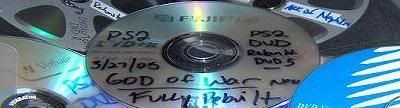
Hello all, I just have a quick question, as I have searched the archives and can find nothing similiar. I think I made a back-up copy of the Mustang game using dvd decrypter, and someting was copied to the dvd, but not sure what it is. This is the folder and contents when I load it in the computer.......a Modules folder, with some IRX files and IMG files. Then it lists on with some Archive files, CD files, something that says SLUS and a System, says speed dial. I just want to know if this is any good information that is workable to make an actual game or is it just trash and I need to do it again?
PS2 games are actually pressed DVD/CD discs, they are not burned. PS2 games use the Burst Cutting Area (BCA) of the disc to identify themselves to the PS2 unit. The BCA is not part of a disc that you can burn on, it is only replicated on pressed discs.
So, the only way to play backups is to get boot-discs or a mod-chip.
It all starts with quality media.
(PS2 CANNOT READ RW MEDIA) Do not try and use.
Older ps2 versions 1-4, will only read -r format.
versions 5 and up will read both -r and +r formats.
What matters is the manufacturers 'Media ID',
not who's name is on the front label.
These are listed by the 'Media ID'
To find out more about your media get dvd identifier,
It will tell you the 'Media Id' of whatever blank
you insert into your rw drive.
The following list is in preference order.
MCC = Mitsubishi Chemicals =)<-----------------VERBATIM MY CHOICE #1
TAIYOYUDEN or YUDEN = Taiyo Yuden = (-R)<--------------FUJIFILM (made in japan) MY CHOICE #2
MXLRG01, MXLRG02 = Maxell = ... be aware of unbranded fakes
TDKG02 = TDK Corp = ... be aware of unbranded fakes
Decent discs, though not perfect, about 85-95%
success rate:
RICOHJPN = Ritek or Ricoh =
SONYD04 = Sony = ... be aware of unbranded fakes
Another important factor is your firmware and burn speed,
By updating your firmware your media compatibility will
increase and also may lower your burn speeds.
Start DVD Decrypter right click your rw drive.
At the bittom select 'check for firmware updates'.
It will take you to the firmware page,
Make sure your using the most updated version for
your burner.
After that is complete.
Put a quality blank media into your drive.
Goto mode iso write (using dvd decrypter).
IN THE BOX ON THE RIGHT YOU WILL SEE "SUPPORTED WRITE SPEEDS".
These are the speeds that you can Correctly burn (USING THE MEDIA THAT IS INERTED.)
It will vary from one media maufacturer to another.
(Go with the SLOWEST SUPPORTED SPEED).
*** FOR BEST RESULTS*** Burn at 2.4x speed or slower.
Use Quality Media I use Verbatim dvd+r (MCC)
***** BURN AT NO MORE THAN 2.4X****** <-----------(IMPORTANT)
TURN OFF ANY BACKGROUND APPLICATIONS
1. Take the ps2 game put it in the dvd rom or dvd burner, your choice.
2. open the dvd decryptor program then go to to tool bar and hit MODE>ISO>READ. Then choose the correct dvd drive that the game is in as the "source". Also choose where you want the files to be stored on the pc hdd. THEN CLICK DECRYPT , or the huge graphical picture at the bottom of the program which makes it run. The game is now copying to your HDD. Take the game out when finished (it might take a while).
3. Go to the same tab in dvd decryptor and choose MODE>ISO>WRITE. This will then let you look for the files you just created in step 2. Select the file that you just created. (There is only 2 files creadted so pick the .mds) (The smaller file)Then click WRITE, make sure there is blank DVD in the drive.
Now you should be backing up your playstation 2 games
with no problems.
Thanks for the tips and info, I already have all what you mentioned, software wise, good media, all updated firmware, good burner, (so far)& know about the mods, but do not have any done to it yet, which btw, its a v-5 ps2. Basically just wanted to have a copy of the game in case my boy decides to break it again and i'd have to buy another one. so in short, that disc of what ever I made will serve me as a back-up coaster for my previous coaster? lol ;-) . But what are boot-disks and do they work in the ps2 as an actual game? gonna do a google search on it.. Thanks again..
You wont be able to play the copied games without swapmagic
(and a way to open the tray without pressing eject.)
For a ver5 you could get a slide card or my recomendation a fliptop kit
Or a modchip.
Also the swap magig disks have to be originals they cannot be copied.
OK, good to know info............ I really don't see myself doing all that to the ps2 anyway, but was curious. I am now more into dvd back-up, since I have like 20 to 1 dvd vs ps2 games. but thank you for your time and info...