I recently bought the Swamp Magic boot discs and a slide card.
When i burned my first game (Socom 2) and tried it, it just said "Not a valid Ps2 game", so i tried burning it again (i always burn at 2x speed) and it gave me the same message when trying to boot the game. Then, when i put the burned game into my PC i noticed something strange -- when i right clicked and "opened" the dvd drive, nothing would appear, as if it was an empty dvd. When i put an original game in my PC all of the files do show up. Is this normal? I'm using (crappy) Hyundai DVD-R's, and my ps2 has no problems playing movies written on those DVD's.
I used both Nero and DVDdecrypter to burn Socom, yet it still doesn't work. Does anyone know what the problem is?
(PS: I booted an original game with the swap magic + slide card method, and it worked perfectly fine, so i assume that i'm using my slide card right.)
i havent backed up socom so im not sure what to expect but id say get yourself some good dvd-rs as this solves alot of problems i use verbatims which are wicked
MXLRG01, MXLRG02 = Maxell = (-R) ... be aware of unbranded fakes
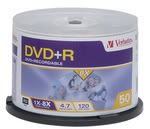
MCC = Mitsubishi Chemicals = (-R)<-----------------VERBATIM MY CHOICE #1
TDKG02 = TDK Corp = (-R) ... be aware of unbranded fakes
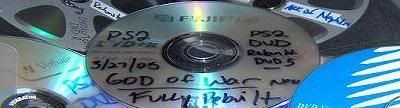
TAIYOYUDEN or YUDEN = Taiyo Yuden = (-R)<--------------FUJIFILM (made in japan) MY CHOICE #2
Decent discs, though not perfect, about 85-95%
success rate:
RICOHJPN = Ritek or Ricoh = (+R)
SONYD04 = Sony = (-R) ... be aware of unbranded fakes
***** BURN AT NO MORE THAN 2X****** <-----------(IMPORTANT)
TURN OFF ANY BACKGROUND APPLICATIONS
1. Take the ps2 game put it in the dvd rom or dvd burner, your choice.
2. open the dvd decryptor program then go to to tool bar and hit MODE>ISO>READ. Then choose the correct dvd drive that the game is in as the "source". Also choose where you want the files to be stored on the pc hdd. THEN CLICK DECRYPT , or the huge graphical picture at the bottom of the program which makes it run. The game is now copying to your HDD. Take the game out when finished (it might take a while).
3. Go to the same tab in dvd decryptor and choose MODE>ISO>WRITE. This will then let you look for the files you just created in step 2. Select the file that you just created. (There is only 2 files created so pick the .mds) (The smaller file)Then click WRITE, make sure there is blank DVD in the drive.
are you using the dvd version of swap magic for dvd backups and the cd version for cd backups?usually the not valid ps2 will pop up if youn are using swap magic wrong or you flat out copied the game wrong.you copied movies with that media so you know your burner can burn to it pretty good.the ps2 is pretty much data just like the movies(but ps2 is harder to copy) so at least you should get the game to kick over and maybe come to a black screen or maybe freeze up if the media wasnt too good.could you give a step by step on how you used swap magic and slide card?
I put the swap magic DVD disc in my ps2, waited for the swap magic screen to pop-up, opened the tray with the slide-card, put in the backed up game, closed the tray and locked it with the slide card again.
I also patched Fifa Street, but it still keeps saying "Not a valid ps2 disc"
I'm gonna buy a pack of TDK dvd's now, but i'm afraid those won't work either, when i tried to burn the games on crappy discs (without errors) my computer would still say it was an empty disc after the burn process, as if nothing happened. When i burn something else on the disc my computer does recognise all the files on it.