|
|
|
Sony VAIO DWU-50A DVD+/-RW not recognising blank DVD-Rs
|
|
|
emjay1
Suspended due to non-functional email address

|
10. September 2005 @ 07:47 |
 Link to this message

|
I've been having trouble with my drive since I got the laptop (PCG-GRT786M) 2 years ago, but now it's just getting annoying...
What I can do is read and write CD-R, CD-RW, and watch DVD movies.
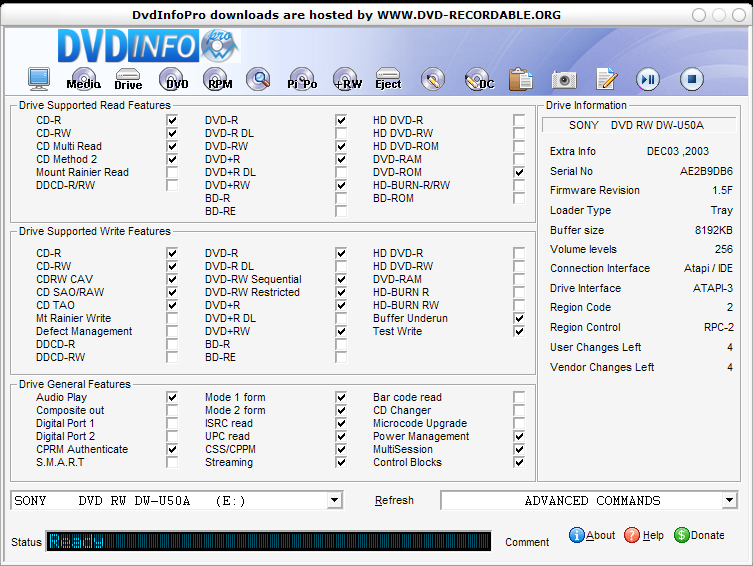
The drive, DW-U50A, should be able to read and write DVD+/-RW, and DVD+/-R, but it doesn't seem to want to recognise them.
Here's a screenshot from DVDInfoPro:
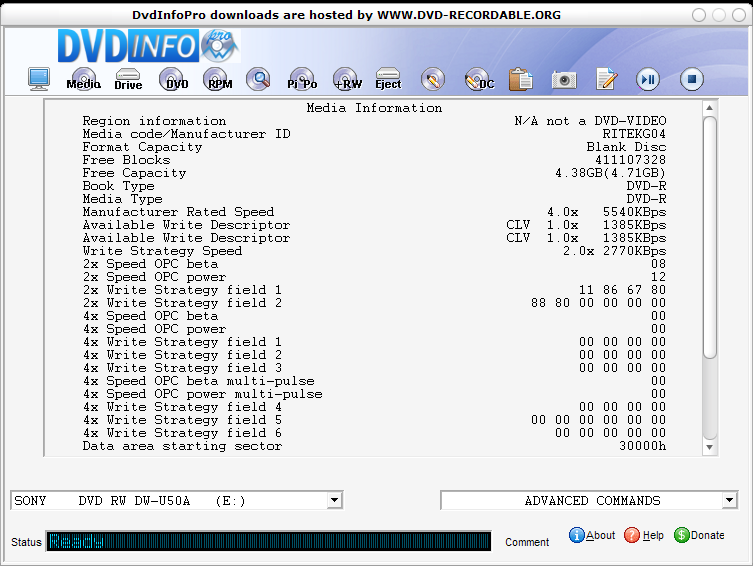
and here's a screenshot of the media analysis. I have tried many brands of DVD-R, and this is my most recent attempt, a 5 pack of Maxell 1-4x 4.7GB DVD-R
I have the latest firmware for my drive, 1.5f (there is apparently a 1.5g, but not on the official Sony site, and when I tried it, it made things worse)
I have the latest and fully functional ASPI, 4.71.2
Whenever I insert a DVD-R, this is how it looks in My Computer, with it being read as 0mb capacity and 0mb free....
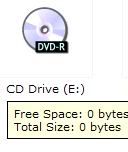
If I attempt to burn to the DVD in any program, it is just not recognised in any way.
Can anyone help me with this? I feel like just giving up and getting an external DVD+/-RW, now that they're more affordable...
This message has been edited since posting. Last time this message was edited on 10. September 2005 @ 07:48
|
|
Advertisement
|
|
|
|
|
StanH1000
Senior Member
|
10. September 2005 @ 10:56 |
 Link to this message
|
|
There may be a software program "capturing" the burner, not letting any other program access the drive. InCD, Drag to Disk, or any packet writing program is to be suspected, but there are others as well (Clone DVD, Windows built-in burning capabilites, and others).
Does anyone have another idea?
|
Moderator
|
10. September 2005 @ 11:53 |
Link to this message
|
|
|
|
emjay1
Suspended due to non-functional email address
|
10. September 2005 @ 13:43 |
Link to this message

|
Thanks for the replies.
Reading those comments about it makes me even more certain that the drive is the problem, and not computer settings.
RE: StanH1000, I don't have any of the software you mention, and have tried disabling the built-in Windows capabilities, to no avail.
(I forgot to mention, but yeah I have Windows XP)
The only related software I have on my PC (some of which obviously I never get to use certain functions of...) is Alcohol 120%, DeepBurner, DVD X Copy....
RE: binkie7, about the firmware update, yeah, I found out about that when I was previously trying to solve the problem, and when I installed that, it messed up the CD writing capabilities also, so I reverted back to the 1.5f firmware.
Maybe this is a case of a very picky drive, but I just can't be arsed trial buying every media under the sun and wasting money just to find out what it will accept. From what I can tell, external USB2 dual format (and faster) burners can now be got for around £100, I might just have to save up for one.
On that point, could anyone recommend a certain brand to go with?
Thanks
|
|
StanH1000
Senior Member
|
10. September 2005 @ 17:53 |
Link to this message
|
Make sure Alcohol 120 doesn't start up in background (uncheck in MSCONFIG if necessary), and reboot. I believe Alcohol can tie up the drive. Although there may be another reason, this will be easy to check.
|
Moderator
|
10. September 2005 @ 20:53 |
Link to this message
|
emjay1
I have 2 internal burners - no recommends on external.
Do a search here or try this site for reviews:
http://www.videohelp.com/dvdwriters
Just query for what you're looking for to see if there are any reviews.
|
|
Advertisement
|
|
|
|
emjay1
Suspended due to non-functional email address
|
11. September 2005 @ 03:16 |
Link to this message
|
|
@ StanH1000
No, Alcohol isn't in my start-up, I'm quite selective over what gets loaded at startup, so that definitely doesn't.
|
|


