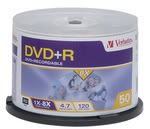
I'm having a problem when trying to burn a DVD disc in that it seems to burn, but I am not sure the disc is OK because when Nero attempts to verify the data on the disc it tells me one of the files is "inaccessible".
The DVD seems to play OK, but when I fast forward or rewind it on my PC it tends to freeze for a few seconds where other DVDs I am burning do not exhibit the same symptoms.
Is there any way to repair this file so that Nero can access it and verify the data??
You really shouldnt need to 'verify' the data.
The best recommendations are:
1)-Use quality media
2)-Burn at no more than 1/2 the disc's maximum speed.
(for 8x max disks burn at 4x.....ect)
Nero verifing is slow and usually a waste of time,
As it can and will have errors on spots that may be fine,
depending on the grade of media used.
Use a high grade media at a slower speed and it will eliminate
the majority of your problems
The following list is in preference order. The best discs are near the top of the list. The discs at
the bottom of the list are suitable only for a landfill.
Almost flawless burns with 95-100% reliable results:
PVC = Pioneer = (-R)(-RW)
MXLRG01, MXLRG02 = Maxell = (-R) ... be aware of unbranded fakes
MCC = Mitsubishi Chemicals = (-R)<-----------------VERBATIM MY CHOICE #1
TDKG02 = TDK Corp = (-R) ... be aware of unbranded fakes
TAIYOYUDEN or YUDEN = Taiyo Yuden = (-R)<--------------FUJIFILM (made in japan) MY CHOICE #2
Thanks for that list. It looks like I'm using 2nd class media, but that seems to be something of a side issue since I have a 100% success rate with my Ridisc DVDs apart from this particular DVD, and that is while burning at the slowest possible speed.
Ultimately, I use the "verify data" function for peace of mind when I send these discs to other people. Without that function I will never be sure if the disc has burned properly and I don't know how this inaccessible file will affect performance on other people's players, if at all.
SLOWEST isnt always better,
the best burns come at 1/2 the maximum speed.
I always use verbatim 8x and burn at 4x speed.
The myth that slower is better
(that even I used to believe in)
Is just that a myth.
With burners now (the 16x max ones),
Burning at 4x is the 'sweet spot' for the burner.
franco78...I verify everything I burn. I mostly use 8X Taiyo Yuden media, and a Plextor burner at 4X. I get pixelation on my player with an 8X burn. Jizmak, however, isn't alone in believing verifying is a waste of time...as I once did. I had to learn the hard way...
I went from getting a Coaster every now and then, to every other disc. By verifying, I found that DVD burners can go bad gradually...as my LiteOn did. So with verifying I now learn sooner...rather than later...that I have a bad burner, or bad disc. I also have a Plextor that just went bad...and without the verifying it would have been a while before I caught it. The fact is, I once erased irreplaceable HDD files thinking I had a good copy when I didn't...so I don't erase the files anymore until I know I have a good copy.
Now...to your DVD file problem. I use a freeware program called CD Check and it will tell you if you have corrupted files. It also has a limited ability to repair them. Here is the link: http://www.kvipu.com/CDCheck/ .
You didn't say what the source of the files were that you are trying to copy/burn, though, but if they are VOB files on a DVD, oftentimes running them through DVD Decrypter will straighten things out.
Thanks. Well I'll try that CD Program if it works on DVD-RVOB files.
I did what you said and ripped the unverified DVD-R disc (which still plays) back to the hard drive with DVD Decrypter. I then tried to burn the folder that DVD Decrypter made back to a DVD-R with Nero, but it would not verify the data due to an inaccessible file??
I am still confused about your source DVD files? If the burned DVD you have from them is having a problem being verified, you need to look to the source files. These are the ones you should have run through decrypter if they are still on a DVD. Without knowing more, however, this is more of a guessing game.
If the source files are on a DVD and have an unverifyable file then this suggestion is long shot...but you might also try AnyDVD if you don't have it already. They do have a free trial. Most use it running in the background with DVD Decrypter, but there is another way it can be used. You highlight the VTS files, and simply transfer them to another folder...and AnyDVD will do its processing on them. This might help with reading the file. I have actually had bad files that stalled Decrypter, and when I did this with AnyDVD I could transfer all the files, and do a proper burn. It takes a while, but it works. Good luck.
Thanks for the reply Doc. I have since used Decrypter to get the footage from one of the DVDs I had burned with Nero back to the hard drive. I then burned it back to the disc with ImgBurn and it verified OK.
I would still like to know why Nero won't verify one of the files, but I've had some other suggestions to try and open the VOB files in VirtualDub and see if they open.
Anyway, since it verfied in Imgburn then I guess it is a problem with Nero and not the file itself??
Well...another reason that Nero's Verify has been considered a waste of time is that it will show errors, yet the disc plays fine. And then, sometimes it doesn't! It seems you have a file Nero doesn't like for some reason or another. If DVD Decrypter read all the files, then it is safe to say nothing was wrong with them after Decrypter finished with them.
I am still getting the idea that you initially tried to burn a DVD from a copy without putting the copy's files on your HDD first? My advice is, when copying a DVD, ALWAYS run the files through Decrypter first...with AnyDVD runnning in the background. This process will do everything possible to make the VOB files compliant.
Thanks again, Doc. No, the files were originally DicX, which I converted back to AVI then MPEG2. That was all done on the hard drive. I'm just glad the problem is not the mpeg files themselves.
I think that explains a lot. At the very root of the Nero burning process the software needs to know what kind of file it is burning so that it can make it "readable." This can involve burning additional info/code onto the disc. There are a lot of file types out there that Nero has to incorporate into its software, and now I am thinking that Nero missed the one you have been asking about.
There are also programs which will simply reproduce/burn the exact "dots" in the pattern as they appear on a disc...without regard to file type. I believe Blindwrite is one of these.