|
|
|
Nero 6 and new SATA drive from LIteOn Is this a good match?
|
|
|
lon
Member

|
25. August 2007 @ 13:17 |
Link to this message

|
I use Nero 6 and Nero Vision 3 for all my jobs on a Benq 1640.
How does Nero perform with hardware like the new 20x LiteOn and what do I need to know about setup besides plugging it in and having Windows 2000 Pro discover the hardware? Firmware?
The board is a MachSpeed X-caliber and the cpu is a Celeron D.
Mem is 512.
The LiteOn is sold OEM so no software that I know of with that.
The LiteOn is a Lightscribe but I have no need of that and so also
wish to know if that technology interferes with performance.
|
|
Advertisement
|
  |
|
|
Senior Member
|
26. August 2007 @ 18:48 |
Link to this message
|
If you mean the Lite-On LH-20A1H it works well with Nero 6, at least under Windows XP. If not, as long as your system meets or exceeds the recommended system requirements, you shouldn't have a problem.
The Lightscribe technology doesn't interfere with the performance of the drive, at least I haven't experienced it. I have 3 Lightscribe drives, 2 Lite-On LH-20A1Hs and a Benq 1655.
|
|
lon
Member
|
26. August 2007 @ 22:18 |
Link to this message

|
|
ok thanks.
If there were no answers here, I was going to repost it on the
Yaiyo Yuden (2) thread. ;-)
|
Senior Member
|
27. August 2007 @ 05:39 |
Link to this message
|
I'll probably have a more specific answer for you on Thursday or Friday (I finally read the entire header of this thread). I have a Lite-On SATA burner in transit right now which I will be installing in a XP machine which already has Nero 6. Got a LITE-ON LH-20A1S SATA on its way from Newegg.
|
|
lon
Member
|
27. August 2007 @ 10:49 |
Link to this message

|
|
I hope you can respond to this thread and keep in mind I'm using the older Windows 2000 pro.
I intended to commence a new build with August rebates, but there doesn't seem to be much this year.
|
Senior Member
|
27. August 2007 @ 12:03 |
Link to this message
|
|
Which SATA drive from Lite-On were you looking at?
If you were looking at the LH-20A1L-05 and don't need/want the Lightscribe, the LH-20A1S OEM BK is $3.00 cheaper and free shipping also(Newegg).
This message has been edited since posting. Last time this message was edited on 27. August 2007 @ 12:11
|
|
lon
Member
|
28. August 2007 @ 19:38 |
Link to this message
|
|
I was looking at the the $36 w free shipping I guess. It was a featured item and I was looking at price only. But a second standard
one would give me more flexibility.
My understanding was the SATA ones are faster. But the big deal for me
is the plug change. I have quite a few ribbon cable spares at the
moment, but constant replugging is rough on them. The SATA redesign
seems to be more durable.
|
Senior Member
|
29. August 2007 @ 03:43 |
Link to this message
|
|
I don't think the SATA drives are necessarily faster than the IDE ones, they are rated the same. Anyway, I generally find the "sweet spot" where the media burns best anyway, which usually isn't at full speed. But I do think the SATA drives, because of the SATA connection, would have a more consistant burn because of a faster feed of data. I'm looking forward to finding out!
Don;t know about the durability as I haven't inspected the SATA connector that closely, but it does seem it should make a more secure and well seated connection than the ide.
|
|
lon
Member
|
29. August 2007 @ 10:00 |
Link to this message
|
|
what are all those ad thingies in your post? They have little arrows on them.
|
Senior Member
|
29. August 2007 @ 10:10 |
Link to this message
|
Originally posted by lon:
what are all those ad thingies in your post? They have little arrows on them.
Don't know what you mean really.
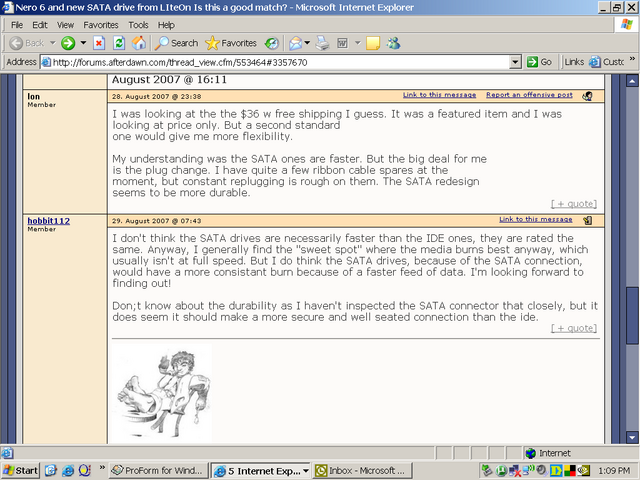
Here's a screen shot of a part of our thread. I don't see anything with little arrows on them.
|
Senior Member
|
29. August 2007 @ 10:41 |
Link to this message
|
|
Are you getting image placeholders?
|
Senior Member
|
29. August 2007 @ 16:44 |
Link to this message
|
ion
i have sata drives here a burn log. about 7-10 min avg burn time for me. and ripping depend on movie and if i do complete dvd or not is about 7 -15 mins.
this is way faster then my old pc. but there other thing that help with those times..
my questions is ;are they normal times for dvdfab,shrink and nero
8.8.2007
NeroAPI
5:43:33 PM #1 Phase 112 File APIProgress.cpp, Line 285
DVD-Video files reallocation started
5:43:33 PM #2 Phase 114 File APIProgress.cpp, Line 285
DVD-Video files reallocation completed (no file modified)
5:43:33 PM #3 Phase 111 File APIProgress.cpp, Line 285
DVD-Video files sorted
5:43:33 PM #4 Text 0 File SCSIPTICommands.cpp, Line 411
LockMCN - completed sucessfully for IOCTL_STORAGE_MCN_CONTROL
5:43:33 PM #5 Text 0 File AudioCompilationImpl.cpp, Line 838
DRM: StartDrmRecording(RealRec:1, ImageRec:0, Copies:1)
DRM: Beginning burn process.
5:43:33 PM #6 ISO9660GEN -11 File Geniso.cpp, Line 3343
First writeable address = 0 (0x00000000)
5:43:33 PM #7 ISO9660GEN -11 File Geniso.cpp, Line 3343
First writeable address = 0 (0x00000000)
5:43:33 PM #8 Text 0 File Burncd.cpp, Line 3499
Turn on Disc-At-Once, using DVD media
5:43:33 PM #9 Text 0 File DlgWaitCD.cpp, Line 307
Last possible write address on media: 2295103 (510:01.28, 4482MB)
Last address to be written: 2286143 (508:01.68, 4465MB)
5:43:33 PM #10 Text 0 File DlgWaitCD.cpp, Line 319
Write in overburning mode: NO
5:43:33 PM #11 Text 0 File DlgWaitCD.cpp, Line 2949
Recorder: HL-DT-ST DVD+-RW GSA-H31N, Media type: DVD+R
Disc Manufacturer ID: MCC, Media Type ID: 004, Product revision number: 0
Disc Application Code: 0, Extended Information Indicators: 7
5:43:33 PM #12 Text 0 File DlgWaitCD.cpp, Line 493
>>> Protocol of DlgWaitCD activities: <<<
=========================================
5:43:33 PM #13 Text 0 File ThreadedTransferInterface.cpp, Line 793
Setup items (after recorder preparation)
0: TRM_DATA_MODE1 ()
2 indices, index0 (150) not provided
original disc pos #0 + 2286144 (2286144) = #2286144/508:1.69
relocatable, disc pos for caching/writing not required/ required
-> TRM_DATA_MODE1, 2048, config 0, wanted index0 0 blocks, length 2286144 blocks [E: HL-DT-ST DVD+-RW GSA-H31N]
--------------------------------------------------------------
5:43:33 PM #14 Text 0 File ThreadedTransferInterface.cpp, Line 995
Prepare [E: HL-DT-ST DVD+-RW GSA-H31N] for write in CUE-sheet-DAO
DAO infos:
==========
MCN: ""
TOCType: 0x00; Session Closed, disc fixated
Tracks 1 to 1: Idx 0 Idx 1 Next Trk
1: TRM_DATA_MODE1, 2048/0x00, FilePos 0 0 4682022912, ISRC ""
DAO layout:
===========
___Start_|____Track_|_Idx_|_CtrlAdr_|_____Size_|______NWA_|_RecDep__________
0 | lead-in | 0 | 0x41 | 0 | 0 | 0x00
0 | 1 | 0 | 0x41 | 0 | 0 | 0x00
0 | 1 | 1 | 0x41 | 2286144 | 0 | 0x00
2286144 | lead-out | 1 | 0x41 | 0 | 0 | 0x00
5:43:33 PM #15 Text 0 File SCSIPTICommands.cpp, Line 209
SPTILockVolume - completed successfully for FCTL_LOCK_VOLUME
5:43:33 PM #16 Text 0 File Burncd.cpp, Line 4278
Caching options: cache CDRom or Network-No, small files-Yes (<32KB)
5:43:33 PM #17 Phase 24 File APIProgress.cpp, Line 285
Caching of files started
5:43:34 PM #18 Text 0 File Burncd.cpp, Line 4397
Cache writing successful.
5:43:34 PM #19 Phase 25 File APIProgress.cpp, Line 285
Caching of files completed
5:43:34 PM #20 Phase 36 File APIProgress.cpp, Line 285
Burn process started at 8x (11,080 KB/s)
5:43:34 PM #21 Text 0 File ThreadedTransferInterface.cpp, Line 2721
Verifying disc position of item 0 (relocatable, disc pos, no patch infos, orig at #0): write at #0
5:43:34 PM #22 Text 0 File Cdrdrv.cpp, Line 9856
---- Disc Structure: Physical Format Information (00h) ----
Media Type: 0, Layer: 0, Address: 0 (0 h), AGID: 0; Length: 2050
Book Type: DVD+R (10), Part Version: 1.0x (1)
Disc Size: 120 mm, Maximum Rate: (F h)
Number of Layers: 1, Track Path: Parallel Track Path (PTP), Layer Type: recordable
Linear Density: 0,267 um/bit, Track Density: 0,74 um/track
Starting Physical Sector Number of Data Area: 30000 h (DVD-ROM, DVD-R/-RW, DVD+R/+RW)
End Sector Number in Layer 0: 0 h (LBN: FFFD0000 h, 4193920 MB)
Data in Burst Cutting Area (BCA) does not exist
Disc Application Code: 0 / 0 h
Extended Information indicators: 7 h
Disc Manufacturer ID: MCC.....
Media type ID: 004
Product revision number: 0
Number of Physical format information bytes in use in ADIP up to byte 63: 56
Media Specific [16..63]:
00 00 07 4D 43 43 00 00 - 00 00 00 30 30 34 00 38 ...MCC.....004.8
23 54 37 12 02 54 6C 02 - 92 5F 15 15 0B 0B 08 08 #T7..Tl.._......
01 19 1B 0C 0C 0C 0D 01 - 00 00 00 00 00 00 00 00 ................
5:43:34 PM #23 SPTI -1066 File SCSIPassThrough.cpp, Line 179
CdRom1: SCSIStatus(x02) WinError(0) NeroError(-1066)
Sense Key: 0x05 (KEY_ILLEGAL_REQUEST)
Sense Code: 0x24
Sense Qual: 0x00
CDB Data: 0xAC 00 00 00 00 00 00 00 00 64 00 00
Sense Area: 0x70 00 05 00 00 00 00 0E 00 00 00 00 24
Buffer x00d55fc0: Len x648
5:43:34 PM #24 Text 0 File DVDPlusRW.cpp, Line 674
Start write address at LBA 0
DVD high compatibility mode: Yes
5:43:34 PM #25 Text 0 File ThreadedTransfer.cpp, Line 269
Pipe memory size 83836800
5:52:11 PM #26 Text 0 File WriterStatus.cpp, Line 113
start writing Lead-Out at LBA 2286144 (22E240h), length 0 blocks
5:52:50 PM #27 Text 0 File DVDPlusRW.cpp, Line 934
EndDAO: Last written address 2286144
5:52:50 PM #28 Phase 37 File APIProgress.cpp, Line 285
Burn process completed successfully at 8x (11,080 KB/s)
5:52:51 PM #29 Text 0 File AudioCompilationImpl.cpp, Line 863
DRM: DRM burn session terminated.
5:52:51 PM #30 Text 0 File AudioCompilationImpl.cpp, Line 892
DRM: Closing entire DRM handling. Bye.
5:52:51 PM #31 Text 0 File SCSIPTICommands.cpp, Line 254
SPTIDismountVolume - completed successfully for FSCTL_DISMOUNT_VOLUME
5:52:58 PM #32 Text 0 File Cdrdrv.cpp, Line 11214
DriveLocker: UnLockVolume completed
5:52:58 PM #33 Text 0 File SCSIPTICommands.cpp, Line 411
UnLockMCN - completed sucessfully for IOCTL_STORAGE_MCN_CONTROL
Existing drivers:
File 'Drivers\ADPU160M.SYS': Ver=v3.60a (Lab01_N(johnstra).010529-2218), size=101888 bytes, created 8/17/2001 3:07:32 PM
File 'Drivers\PXHELP20.SYS': Ver=2.03.27a, size=20576 bytes, created 1/26/2005 3:03:00 AM (Prassi/Veritas driver for win 2K)
|
Senior Member
|
29. August 2007 @ 19:49 |
Link to this message
|
Got my SATA burner, drive & controller today & installed. Here is the first burn & scan. It's a Verb 8X DL burned @ 6X with Nero 6, with disk image stored on SATA hard drive before burning.

Not too bad for a first burn if I say so myself.
I think I'm going to love this burner!
(Edited to correct bad English!)
This message has been edited since posting. Last time this message was edited on 29. August 2007 @ 19:51
|
|
lon
Member
|
30. August 2007 @ 09:30 |
Link to this message
|
|
Last bunch of Verbs i had i got 95's and 96's all the time.
So when the rebate deal came I got some more.
Can yours do booktype okay?
|
|
Advertisement
|
|
|
Senior Member
|
30. August 2007 @ 10:55 |
Link to this message
|
|
Booktyping is sweet, just set it for your +Rs and forget it.
BTW, the graphed Verb is one of the new DL ones, rated @ 8x, not the 2.4x ones. I have burned these @ 8x but not on this drive (might give it a shot though!)
|
|




