|
Intel P4 vs AMD
|
|
AfterDawn Addict
1 product review

|
5. March 2006 @ 09:16 |
 Link to this message

|
|
I'm using 1600X1200 at 85 Hz refresh because that's all that my card will allow. Anyting under 75Hz is asking for eye fatique. a refresh rate of 65hz is unacceptable but 60 Hz is just horrid and unthinkable.
" Please Read!!! Post your questions only in This Thread or they will go unanswered:
Help with development of BD RB: Donations at: http://www.jdobbs.com/. |
|
Advertisement
|
|
|
|
AfterDawn Addict
4 product reviews
|
5. March 2006 @ 09:18 |
 Link to this message

|
|
And yet we watch TV at 25Hz (well you at 30HZ).
Strange.
|
AfterDawn Addict
1 product review
|
5. March 2006 @ 09:25 |
Link to this message
|
|
sammorris
Video frame rates and refresh rates aren't quite the same thing. Older TV's had a refresh rate of about 50 Hz but most modern TV's have refresh of about 100 Hz. With refresh rates you are looking at the same still picture being redrawn as many times per second at your refresh rate but with Video you are looking at 25 or 30 frames per second with every frame being different.
" Please Read!!! Post your questions only in This Thread or they will go unanswered:
Help with development of BD RB: Donations at: http://www.jdobbs.com/. This message has been edited since posting. Last time this message was edited on 5. March 2006 @ 09:43
|
|
aabbccdd
Suspended permanently
|
5. March 2006 @ 09:26 |
Link to this message
|
|
Sophocles i can uncheck the box that says "hide modes that this montior cannot display" and get a higher refresh rate but thats probably not a good idea is it
|
AfterDawn Addict
1 product review
|
5. March 2006 @ 09:35 |
Link to this message
|
sammoris
Here's an explanation for TV's I copied from a site that explains how it works.
Quote:
The film industry recognizes this too. By historical accident, film is taken at the rate of 24 frames/second, but if it is projected that way, especially with the wide screen that is so popular today, it flickers badly -- enough to create headaches and nausea. So the best quality movie projectors break the beam of light for each picture frame twice, meaning that each picture frame is projected three times so that the eye sees 72 flashes per second, thus minimizing brightness flicker.
It's a little date but it makes the point.
aabbccdd
You don't want to do that unless you're prepared to buy a new monitor and the figures listed are usually what your card can't reproduce.
" Please Read!!! Post your questions only in This Thread or they will go unanswered:
Help with development of BD RB: Donations at: http://www.jdobbs.com/. |
AfterDawn Addict
|
5. March 2006 @ 10:19 |
Link to this message
|
Sammorris,
While we do watch TV at 30Hz, it's interlaced to give an apparent 60Hz. On glass tubes and almost all Projection units, phosphor persistance smooths out most of the rough spots. when I was in England a few years ago, one of the things I noticed with their TVs was that it had an annoying little flicker that you could see when you turned your head to one side. I assume that this is caused by the 50Hz current and the 50Hz (25Hz x 2) interlaced picture.
I have found only one LCD widescreen monitor with a recomended resolution of 1280x1024.
http://www.newegg.com/Product/Product.asp?Item=N82E16824008036
It's maximum resolution is 1680x1050 but the recomended resolution is 1280x1024. The contrast ratio is 600 to 1. Should I consider this one instead of the Sceptre?
Happy Computering,
theonejrs
GigaByte 990FXA-UD5 - AMD FX-8320 @4.0GHz @1.312v - Corsair H-60 liquid CPU Cooler - 4x4 GB GSkill RipJaws DDR3/1866 Cas8, 8-9-9-24 - Corsair 400-R Case - OCZ FATAL1TY 550 watt Modular PSU - Intel 330 120GB SATA III SSD - WD Black 500GB SATA III - WD black 1 TB Sata III - WD Black 500GB SATA II - 2 Asus DRW-24B1ST DVD-Burner - Sony 420W 5.1 PL-II Suround Sound - GigaByte GTX550/1GB 970 Mhz Video - Asus VE247H 23.6" HDMI 1080p Monitor
 |
AfterDawn Addict
1 product review
|
5. March 2006 @ 10:41 |
Link to this message

|
theonejrs
TV refreshes are much better than 60 Hz now, most new quality TV's use digital technology which increases the refresh to 100 Mhz or more than three times per frame and interlacing is replaced by progressive scan which results in less flicker than interlacing does. Movies amkers only film at 24 frames per second which means that they have to become telecined in order for them to play back at 30 frames per second on NTSC TV's. But unlike single frame refresh rates video frames change the view 30 times per second.
If you want to know more about video then go to this thread and read as much as you can handle.
http://forums.afterdawn.com/thread_view.cfm/97052
" Please Read!!! Post your questions only in This Thread or they will go unanswered:
Help with development of BD RB: Donations at: http://www.jdobbs.com/. This message has been edited since posting. Last time this message was edited on 5. March 2006 @ 10:42
|
AfterDawn Addict
4 product reviews
|
5. March 2006 @ 11:08 |
Link to this message
|
|
Hmmm, I might pass for a bit, I struggle to keep up with these two threads being a very busy person...
I know that refresh and frame rate are different things, and the key issue is latency. They're all reasons for sticking to my CRT for the moment, plus of course the 1920x1440 or 2048x1536. The latter only appears when you uncheck "hide modes this screen cannot display". It works, but then my last monitor that could do that failed rather abruptly, so one wonders whether I should stick to 1920x1440.
|
|
ScubaBud
AfterDawn Addict
|
5. March 2006 @ 11:20 |
Link to this message
|
My 17" Princetons are recommended at 1280x1024 but I have them set at 1024x768 @ 75Hertz. The color and clarity are just fine. You guys must have some terrific eyes viewing your screens at 1920x1440 or 1600 x 1200 <G>
An example of aabbccdd's sig gif of Lima:
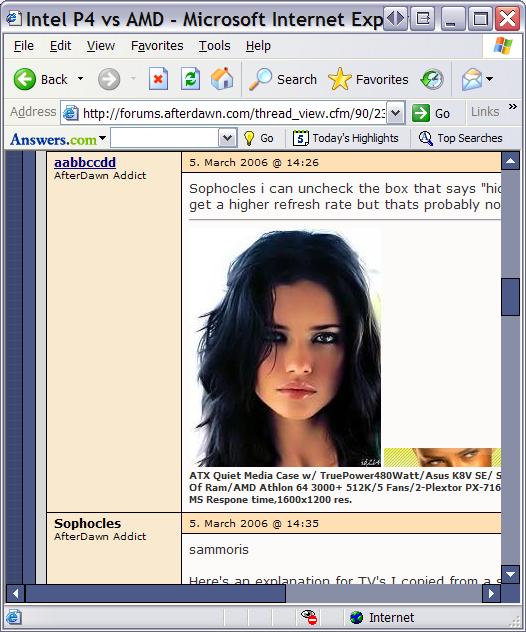
This message has been edited since posting. Last time this message was edited on 5. March 2006 @ 11:23
|
AfterDawn Addict
|
5. March 2006 @ 11:34 |
Link to this message
|
|
Sophocles,
Thanks for the info. What drives me crazy in all of this is the poor support from most of the video card manufacturers. Max resolution does not mean support for a particular monitor. I've e-mailed XFX and ATi to see if any of their cards support 1680x1050 as both sites are very poor on information in this area. Don't these people understand how important this information is to the end user? Especially when it comes to widescreen monitors! In all the video cards I've looked at so far I have yet to see one that has a 1680x1050 setting! Since I'm stuck with 8x AGP on this computer, I don't want to be stuck with something that won't do what I need.
The Princeton monitor looks to be a decent compromise but my experience with the brand has been that the quality is poor. I've thrown away more Princetons and Acers than any other brands.
Back in the 50s, I had a Transvision "Kit" TV that my father built. It used to tear and roll all the time I redesigned the sweep and sync circuts to make the picture more stable. My father had a fit when he came home and I had the chassis out and was working on it. I designed a second oscillator for the horizontal and vertical circuts that tuned one oscillator to the beat frequency of the other which made the whole thing more stable. No more back and forth to adjust the picture every 5 minutes. I would have persued electronics as a career except I had an accident that blasted me through a window. My damp sweater snagged on the high voltage clip for the picture tube and literally threw me out the window (closed). Fortunately I was on the ground floor at the time. Amazingly, I didn't even get cut by all the broken glass, but I sure was gun-shy working on TVs after that! Even though I'm capable, I still don't like to work on them!
Happy Computering,
theonejrs
GigaByte 990FXA-UD5 - AMD FX-8320 @4.0GHz @1.312v - Corsair H-60 liquid CPU Cooler - 4x4 GB GSkill RipJaws DDR3/1866 Cas8, 8-9-9-24 - Corsair 400-R Case - OCZ FATAL1TY 550 watt Modular PSU - Intel 330 120GB SATA III SSD - WD Black 500GB SATA III - WD black 1 TB Sata III - WD Black 500GB SATA II - 2 Asus DRW-24B1ST DVD-Burner - Sony 420W 5.1 PL-II Suround Sound - GigaByte GTX550/1GB 970 Mhz Video - Asus VE247H 23.6" HDMI 1080p Monitor
|
|
brobear
Suspended permanently
|
5. March 2006 @ 11:39 |
Link to this message
|
|
ScubaBud
May I ask what good the capture does? You're showing us the digital image you can capture, we still have to look at it on our monitors. ;) To note differences in monitor viewing quality, a person would have to be in the same room with the different models being compared. Seeing photos of or from different models doesn't work. To date I know of nothing that beats a top of the line CRT. I'm not saying one can't get a good picture with LCD or Plasma, just that the better CRTs are the best of the best.
This message has been edited since posting. Last time this message was edited on 5. March 2006 @ 11:44
|
AfterDawn Addict
4 product reviews
|
5. March 2006 @ 11:42 |
Link to this message
|
|
A screen capture is indeed pointless, well noted, you beat me to that!
|
|
ScubaBud
AfterDawn Addict
|
5. March 2006 @ 11:47 |
Link to this message
|
|
Color was brought up as a condition of different display resolutions was it not? Why not compare those with the current pix in aabbccdd's sig.
What I really should have said is any excuse to see Lima is a good excuse!!! <G>
This message has been edited since posting. Last time this message was edited on 5. March 2006 @ 11:59
|
|
aabbccdd
Suspended permanently
|
5. March 2006 @ 11:50 |
Link to this message
|
|
other than "Adriana" is great to look at lol
one thing for sure the LCDs are alot easier on your eyes than a CRT ,the LCDs have a much warmer picture
|
|
ScubaBud
AfterDawn Addict
|
5. March 2006 @ 11:51 |
Link to this message
|
|
I know that a few use ACAD here and that could be a good consideration for CRT vs LCD but todays LCD's fair pretty well as long as one stays away from some of the higher pp's listed and that the LCD's have a low response time important for gamers:
Pixel Pitch of most LCD's by size:
.255 = 20.1?
.258 = 20? or 23?
.271 = 21.3 or 24?
.279 = 14?
.294 = 19?
.297 = 15?
.264 = 17? and a very few 19"
This message has been edited since posting. Last time this message was edited on 6. March 2006 @ 14:07
|
|
aabbccdd
Suspended permanently
|
5. March 2006 @ 12:00 |
Link to this message
|
|
This message has been edited since posting. Last time this message was edited on 5. March 2006 @ 12:00
|
AfterDawn Addict
1 product review
|
5. March 2006 @ 12:05 |
Link to this message
|
Quote:
one thing for sure the LCDs are alot easier on your eyes than a CRT
For word processing that might be somewhat true but the point that I've been making is that in fact CRT's cause less fatique. LCD's have lower refresh rates than CRT's by quite a bit and higher refresh rates reduce eye strain. That's why I stated earlier that a refresh rate of 75 Hz is the minimum, 65 us too low and that 60 is unthinkable.
I can't get any higher than 1600 by 1200 at 85 Hz 32 bit true color without giving up something, which is good, because my vid card won't support it. To add a higher refresh rate at that resolution would seriously reduce frame rate count.
Theonjrs
That's why you don't use low end cards if yo want to watch quality video without suffering fatigue.
" Please Read!!! Post your questions only in This Thread or they will go unanswered:
Help with development of BD RB: Donations at: http://www.jdobbs.com/. This message has been edited since posting. Last time this message was edited on 5. March 2006 @ 12:12
|
|
ScubaBud
AfterDawn Addict
|
5. March 2006 @ 12:09 |
Link to this message
|
Refresh Rate
Some users of a CRT may notice a bit of an annoying flicker, which is an inherent trait based on a CRTs physical components. Today's graphics cards, however, can provide a high refresh rate signal to the CRT to get rid of this otherwise annoying problem. LCDs are flicker-free and as such the refresh rate isn't an important issue with LCDs.
http://www.webopedia.com/DidYouKnow/Hardware_Software/2005/all_ab...
The link above is where I pulled that paragraph from and goes into a good comparison of CRT and LCD monitors.
This message has been edited since posting. Last time this message was edited on 5. March 2006 @ 12:10
|
|
ScubaBud
AfterDawn Addict
|
5. March 2006 @ 12:12 |
Link to this message
|
|
@ theonejrs
If you've had a bad experience with a certain brand such as Princeton, why would you even consider it once again?
Just curious...
|
AfterDawn Addict
|
5. March 2006 @ 12:29 |
Link to this message
|
|
Sophocles & ScubaBud,
I wouldn't call a $300 X800GTO AGP video card, low end! What I have now I would call low end.
On the Princeton, I figure that maybe they have improved their quality as they are still in business (either that or the consumers are idiots).
Happy Computering,
theonejrs
GigaByte 990FXA-UD5 - AMD FX-8320 @4.0GHz @1.312v - Corsair H-60 liquid CPU Cooler - 4x4 GB GSkill RipJaws DDR3/1866 Cas8, 8-9-9-24 - Corsair 400-R Case - OCZ FATAL1TY 550 watt Modular PSU - Intel 330 120GB SATA III SSD - WD Black 500GB SATA III - WD black 1 TB Sata III - WD Black 500GB SATA II - 2 Asus DRW-24B1ST DVD-Burner - Sony 420W 5.1 PL-II Suround Sound - GigaByte GTX550/1GB 970 Mhz Video - Asus VE247H 23.6" HDMI 1080p Monitor
|
AfterDawn Addict
1 product review
|
5. March 2006 @ 12:31 |
Link to this message
|
Quote:
Some users of a CRT may notice a bit of an annoying flicker, which is an inherent trait based on a CRTs physical components.
Again that's wrong it's the other way around, LCD's introduce tiresome flicker CRT's are way above that with 85 Hz refresh rates and higher dending on video card needs. I could be running mine at 100 Hz but it will reduce my frame rates and lower the life span of my monitor and 85 is highly acceptable. There's not an LCD that I know of that's running my resolution and 85 Hz refresh with virtually zero latency. At 32 bit color, 85 hz refresh rate, and 1600 times 1200 resolution one would be looking for flicker that's beyond human vision capability. Trust me if you have an LCD screen, then you're seeing more flicker than I am.
" Please Read!!! Post your questions only in This Thread or they will go unanswered:
Help with development of BD RB: Donations at: http://www.jdobbs.com/. |
AfterDawn Addict
4 product reviews
|
5. March 2006 @ 12:38 |
Link to this message
|
|
No, consumers are just tight. Lol.
Actually my school has some acer monitors, about 60 of them to be exact, and the later 1716 models do look better than the earlier 1511 and 1711 ones.
|
|
ScubaBud
AfterDawn Addict
|
5. March 2006 @ 12:44 |
Link to this message
|
http://www.bigbruin.com/techtip.php?file=005
http://www.geeks.com/pix/techtips-121604.htm
A couple more links above about comparing CRT's to LCD's :)
@ theonejrs
Quote:
On the Princeton, I figure that maybe they have improved their quality as they are still in business (either that or the consumers are idiots).
Well if you purchase one and are unhappy with it then welcome to the ranks! <G>
Just like automobiles, once you?ve had a bad experience it?s usually tough to pull yourself to purchase that same make again. As you hinted quality could change with time such as the Hyundai has in the automotive world. As far as Princeton is concerned, I have two of them for personal use and several at my store along with many other brands and sizes. The Princeton?s are less then 3 years old, and to this date are still working well. Good luck once again with whatever decision you make. :)
This message has been edited since posting. Last time this message was edited on 5. March 2006 @ 12:44
|
AfterDawn Addict
1 product review
|
5. March 2006 @ 12:57 |
Link to this message
|
scubabud
Not a well known site and the claims were amateuristic.
Quote:
Advantages of CRT monitors
CRT monitors may be relatively bulky and use more power than an LCD display, but their low price point makes them a popular choice among most computer shoppers. A 17-inch display easily costs less than half that of a 15-inch LCD model. (Do take note that LCD panels reflect the true viewable display size of the screen but the actual viewable screen on CRT monitors is usually 1 or 2 inches smaller than the rated number.)
Size, however, is not the main reason most gamers and graphic designers are still sticking to CRT monitors. Rather, it is the superior image quality. CRTs can not only display more colors than an LCD, the former can offer various different resolutions and produce more contrast in images. CRTs also have a wider viewing angle and faster response times, making them useful for videos and moving images.
http://asia.cnet.com/reviews/hardware/monitors/0,39034914,3907200...
And CRT's are way out in front for color accuracy which is the heart of my debate.
" Please Read!!! Post your questions only in This Thread or they will go unanswered:
Help with development of BD RB: Donations at: http://www.jdobbs.com/. |
|
Advertisement
|
|
|
AfterDawn Addict
4 product reviews
|
5. March 2006 @ 13:00 |
Link to this message
|
|
That article's more like you'd see at the dell home page than anywhere technical.
The quote one,not the URL one.
This message has been edited since posting. Last time this message was edited on 5. March 2006 @ 13:01
|


